Epson L805 ink tank photo printer test
by Artyom Mishukov · Gear Tests
As an Amazon Associate I earn from qualifying purchases. Links to Amazon on this page are affiliate links.
Verdict: The Epson L805 is for photographers who want to print a lot at home without paying cartridge prices. Six refillable 70 ml tanks cover about 1,800 prints of 10×15 cm (4×6 in), and print quality on glossy paper came close to the original files. Skip it if you need fast output or neutral black-and-white prints: an A4 photo took about 5 minutes, and monochrome prints leaned slightly cool.
Who the Epson L805 is for
The L805 suits a home photographer who prints in volume: a portfolio of best shots, a whole vacation, a family archive. The thing that usually stops people is the cost of consumables, and this printer attacks exactly that.
Sooner or later every photographer, amateur or professional, wants to see their pictures on paper. A print is perceived differently from a picture on a monitor. What gets in the way is lack of time, reluctance to take files to a lab, or the high cost of each print at home. A home photo printer seems convenient, yet owners frequently stop using it because cartridges bite.
The old workaround was a homemade continuous ink supply system. It is a special cartridge connected by thin tubes to ink reservoirs outside the printer. Chips in the cartridge trick the printer into always seeing a full cartridge.
The advantages of such a system:
- a large drop in print cost compared with cartridges (by up to 50 times in particular cases);
- in theory, steady pressure at the print head, and so steady image quality;
- higher throughput, since there are no frequent cartridge changes.
The drawbacks:
- the system needs careful handling, especially when the printer is moved, because ink can spill from the reservoirs;
- maintenance is harder than with a regular printer;
- air can get into the print head, and low-quality ink can clog it quickly and fatally;
- the printer warranty is lost.
At the end of 2011 Epson took a different route and released its first printer without cartridges. The main selling point was the low print cost photographers had wanted, now with the maker's own ink. The first model, the Epson L800, became a hit. The L805 replaced it.
Epson L805 specs
The L805 is a six-color photo printer with external ink tanks, Wi-Fi and printing on CDs and DVDs. The table collects the facts from the test.
| Spec | Epson L805 |
|---|---|
| Ink system | 6 colors, refillable tanks, water-based ink |
| Bottle volume | 70 ml per color |
| Rated yield of the starter set | about 1,800 prints, 10×15 cm (4×6 in) |
| Warranty | 12 months or 3,000 prints |
| Connections | Wi-Fi, USB (cable not included) |
| Mobile printing | Epson iPrint app (App Store, Google Play) |
| Disc printing | 12 cm and 8 cm (4.7 in and 3.1 in) discs with a printable coating |
| Rear tray | up to 120 sheets of A4 office paper, 80 g/m² |
| Screen | none; 5 lit buttons on the front panel |
| Size, approximate | 55 × 29 × 18 cm (21.7 × 11.4 × 7.1 in) |
| In the box | printer, 6 ink bottles, disc tray, software disc with Windows drivers, paper manuals, power cable |
Mac drivers download separately from the Epson website. The L800 it replaced connected only by USB.
The size suits a desk. The ink block adds a few centimeters to the width and gives the printer a monumental look. The block is not fixed to the body and comes off for refilling, so do not use it as a handle. Each tank closes with a rubber cap, so ink does not spill when the printer is moved.
The body is black with rounded edges. Matte plastic dominates, which keeps fingerprints down. Five translucent, lit, non-touch buttons sit in a row on the front panel: power, wireless setup, test sheet, head cleaning and print queue reset. The rear feed tray folds out, with extending sections and a guide for different paper sizes. Photo paper fits in smaller numbers than office paper, depending on its weight. A front flap holds the second tray: the output tray for paper and the feed tray for discs.
How refilling the ink tanks works
Refilling takes three steps and no codes. Epson sells the ink in 70 ml plastic bottles, six colors.
- Remove the tank block and open its side cover. Break off the tip of the bottle cap; it later works as a stopper.
- Open the tanks one at a time and fill each from the bottle of the matching color.
- If ink is left in a bottle, close it with the stopper and keep it for the next refill.
You can top up the tanks before they run empty, which is very convenient. The only things to watch are the colors and spills, and the markings on the tank cover help with both. Earlier models in the family, the L800 included, required a code from each bottle at refill time. The L805 no longer does, although the bottles still carry codes, probably for the older printers. Epson dropped that protection against third-party ink, and refilling got simpler.
What a print costs on the L805
Paper, not ink, makes up most of the cost of each L805 print. The test priced one 70 ml bottle at 999 in local currency, so a set of six cost 5,994, and that set is rated for 1,800 prints of 10×15 cm. The table below splits the tester's per-print totals into ink and paper.
| Paper and pack size | Ink share of each print | Paper share of each print |
|---|---|---|
| Epson Premium Glossy Photo Paper, 50 sheets | 17 % | 83 % |
| Epson Premium Glossy Photo Paper, 500 sheets | 28 % | 72 % |
| Epson Photo Paper Glossy, 50 sheets | 18 % | 82 % |
| Epson Photo Paper Glossy, 500 sheets | 36 % | 64 % |
How the numbers were computed: ink per print = 5,994 ÷ 1,800 = 3.33 currency units. The tester's totals per print were 19.3, 12.1, 18.7 and 9.2 units for the four rows. Ink share = 3.33 ÷ total; paper share = the rest. Ink volume per print = 6 × 70 ml ÷ 1,800 = 0.23 ml.
The practical reading: buying paper in 500-sheet packs cut the per-print total by 37 % on Premium Glossy (12.1 ÷ 19.3 = 0.63) and by 51 % on the cheaper Photo Paper Glossy (9.2 ÷ 18.7 = 0.49). On the ink side there is nothing left to save.
Cost per print: On the L805 the ink costs less than the paper. In the test's price list, ink was 17 % to 36 % of each 10×15 cm print, depending on the paper. Buying paper in 500-sheet packs cut the per-print total by 37 % to 51 %.
How fast the Epson L805 prints
The L805 is quick with draft text and slow with photos. These are the times measured in the test.
| Job | Quality setting | Time, approximate |
|---|---|---|
| Black-and-white A4 text, office paper | Draft | 3 s |
| Black-and-white A4 text, office paper | Standard | 10 s |
| Black-and-white A4 text, office paper | High | 30 s |
| Color A4 document, office paper | Standard | 20 s |
| Color A4 document, office paper | High | 1 min |
| 10×15 cm (4×6 in) photo, Premium Glossy | Maximum | 1.5 min |
| A4 (8.3 × 11.7 in) photo, Premium Glossy 255 g/m² | High | 5 min |
| CD or DVD label | from Epson Print CD | 3 min |
Draft prints come out pale brown, which was a surprise: black text would be better. Still, it is a draft. The difference in text quality between Standard and High is barely visible, so you can save both ink and time.
Epson L805 photo print quality
The photo results pleasantly surprised the tester. On Epson Premium Glossy Photo Paper (255 g/m²) all the midtones and colors were reproduced as close to the original as possible, detail was high and noise on the prints minimal.

At a close look, even the beads of sweat are printed well, without a big loss of detail.

Then came the standard set of test frames at 10×15 cm on the same paper. Each pair shows the original file first, then the print.

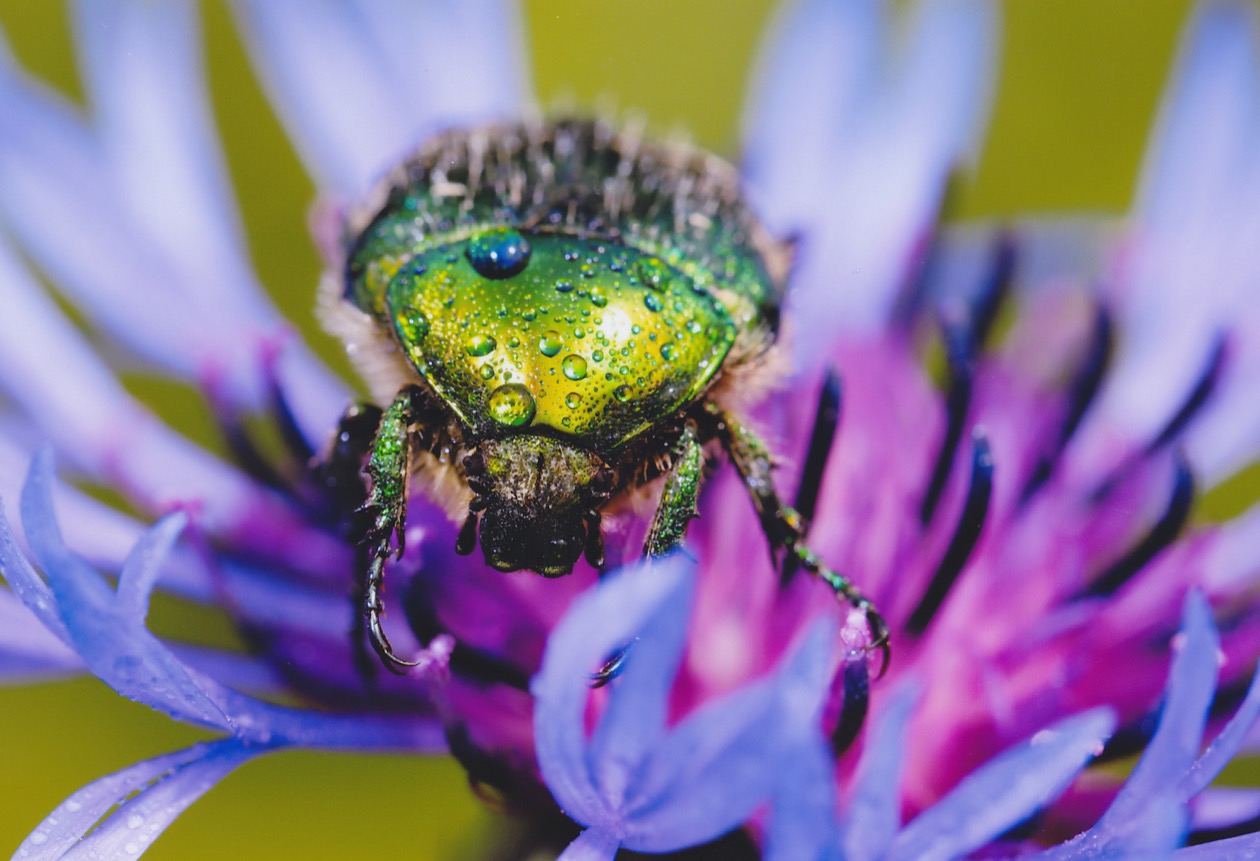
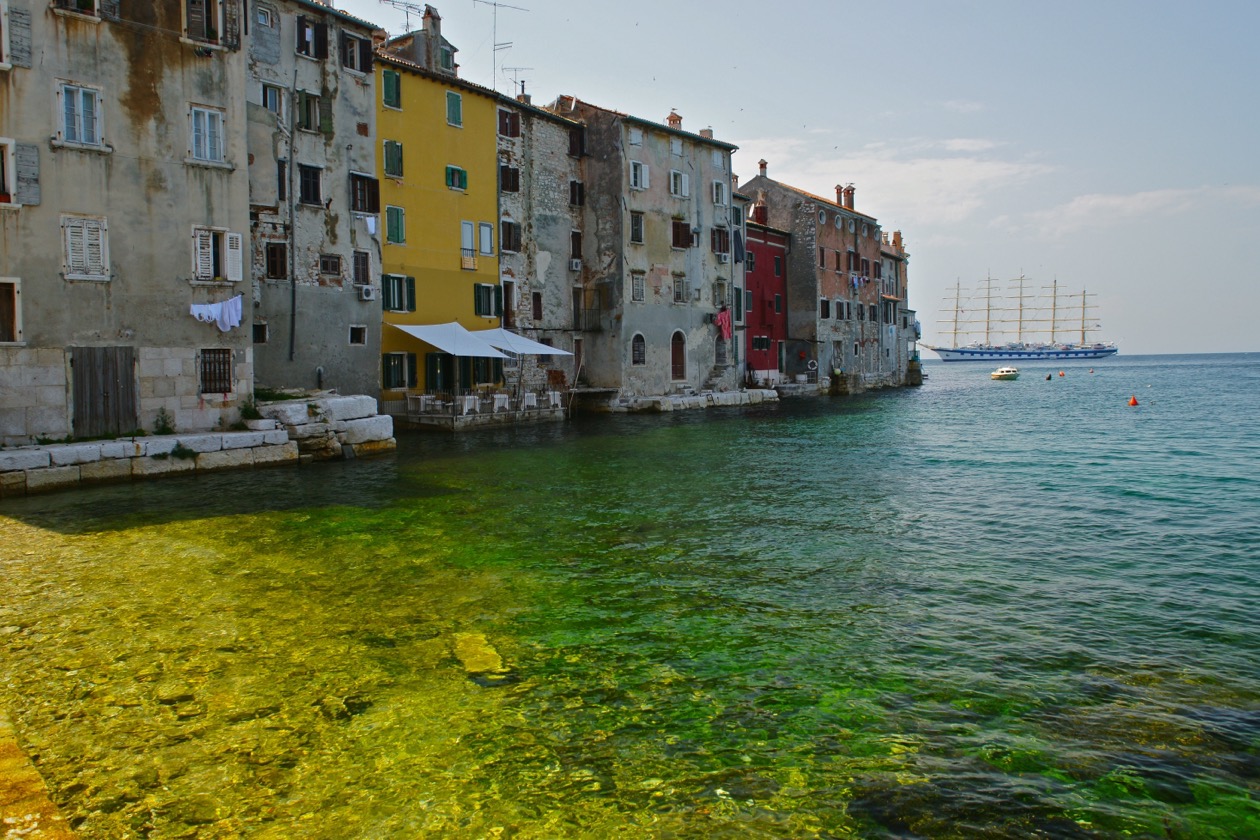
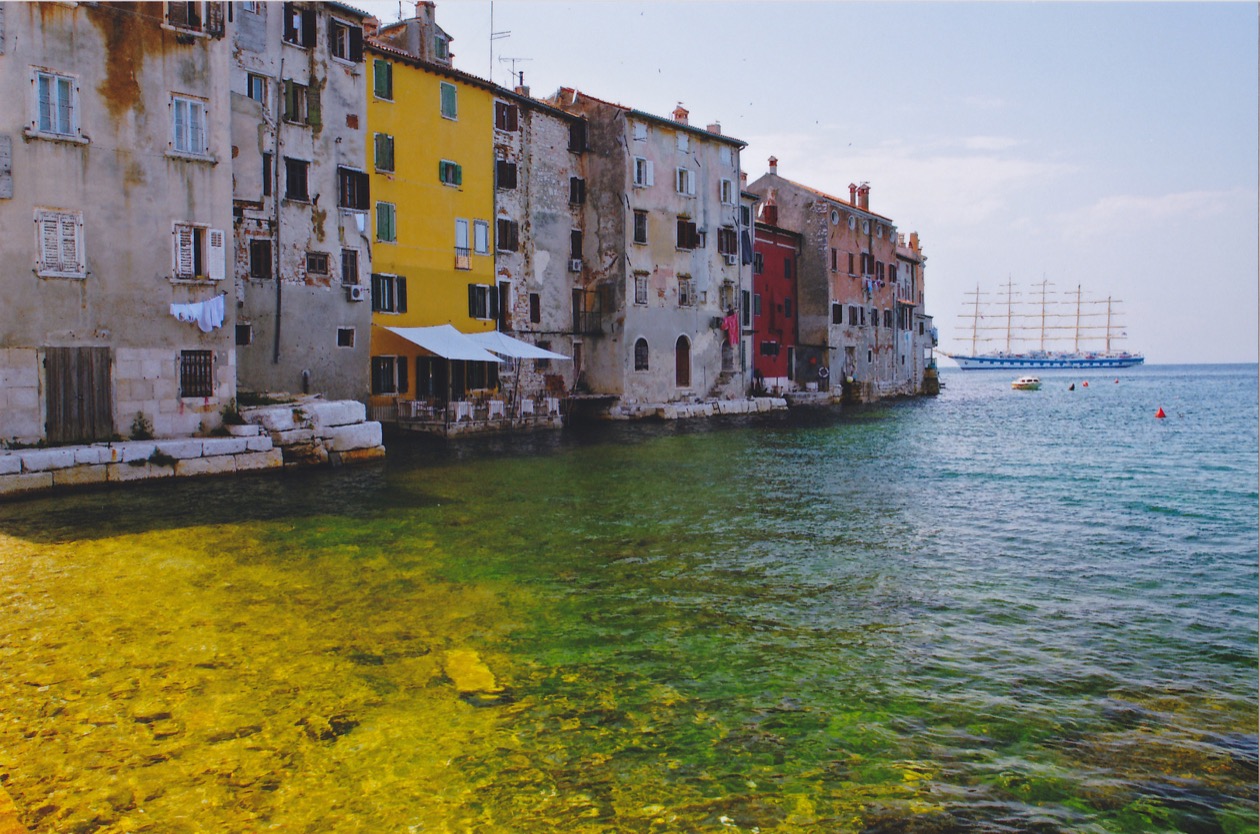



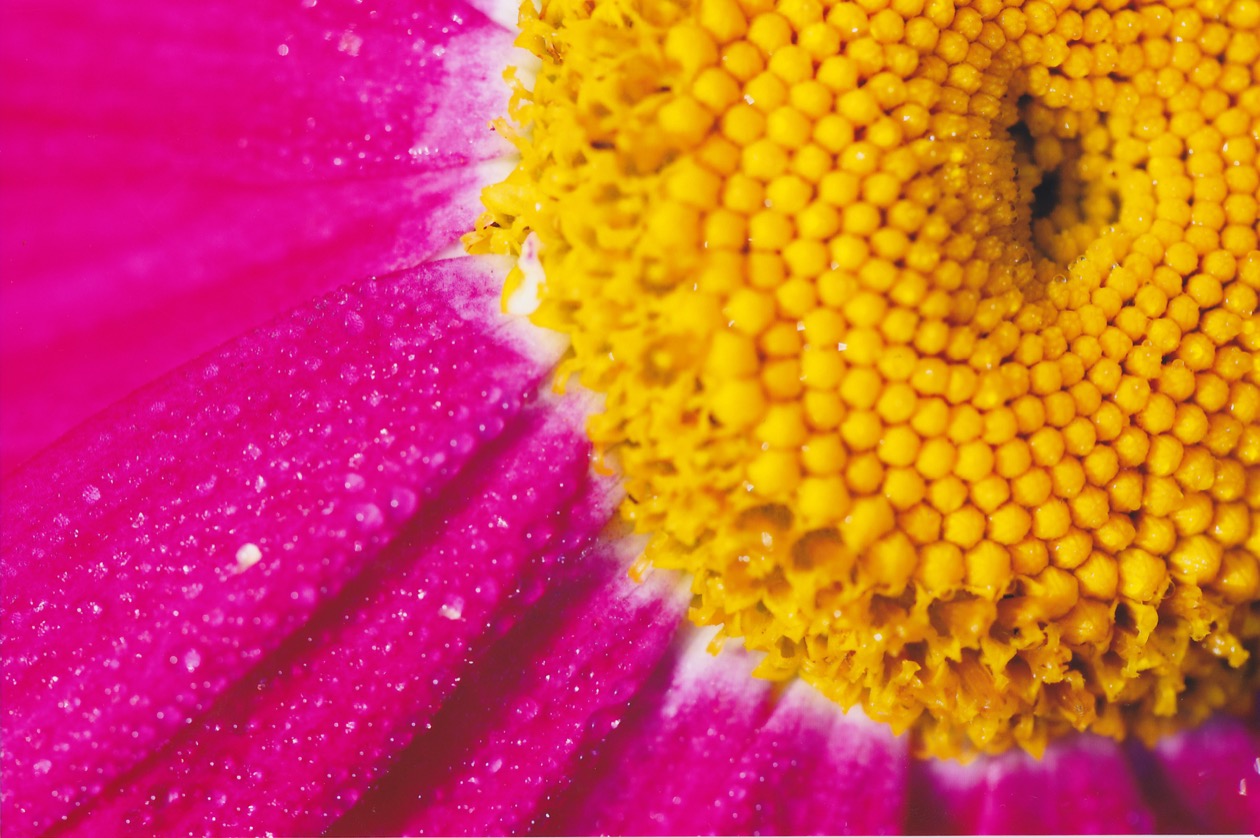
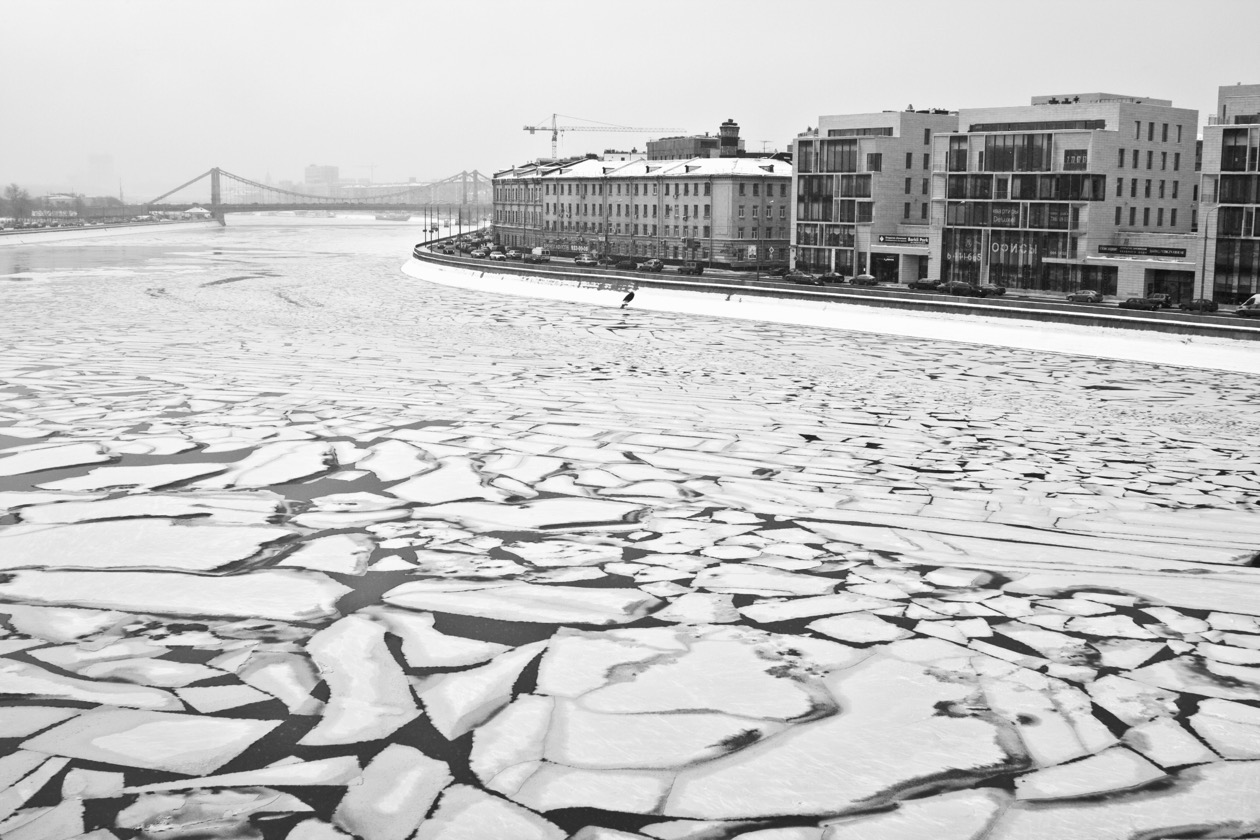
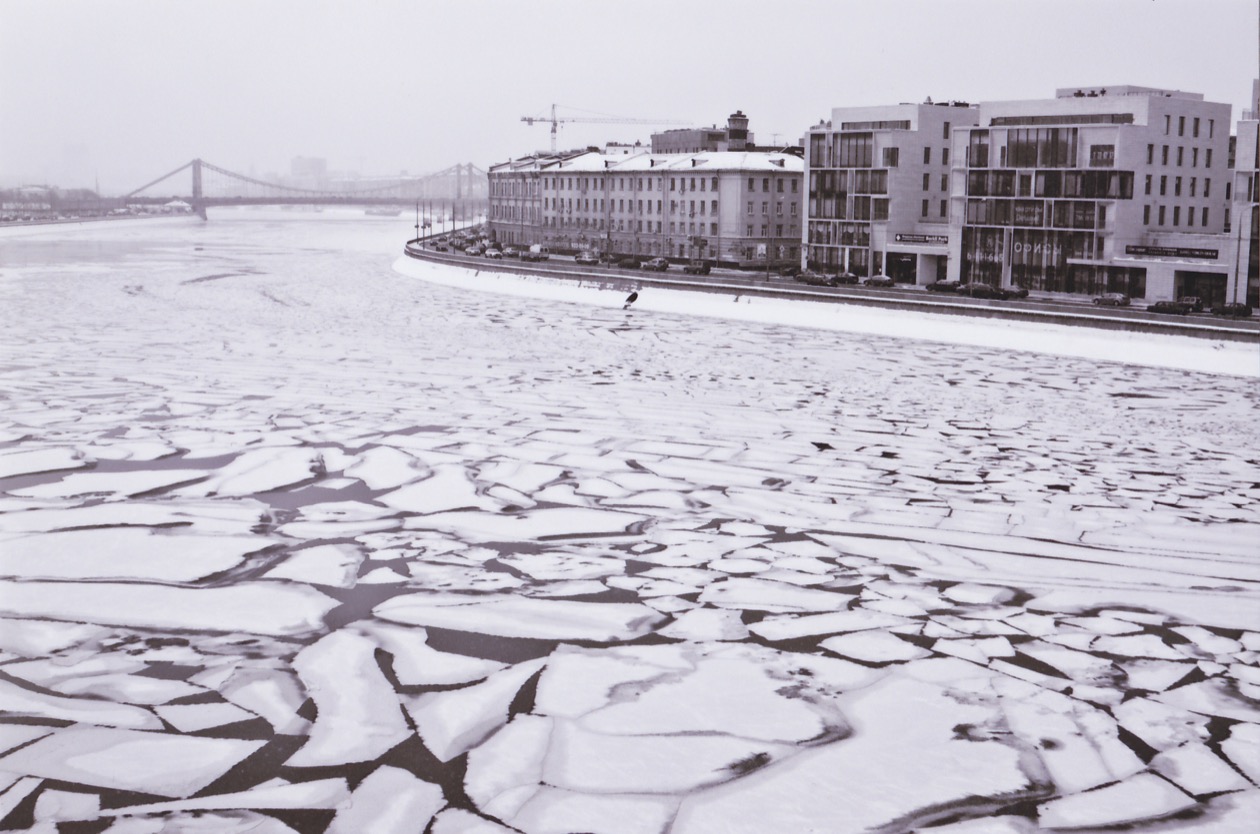
A 10×15 cm test print at maximum quality on Epson glossy paper took about 1.5 minutes. Long? Not fast, say. The quality is worth it: correct color, worked-out shadows and highlights, no visible grain.
Printing on CDs and DVDs
The L805 prints directly on discs with a printable surface, using the universal tray from the box. Insert the disc coated side up, push the tray in until the white triangle marks line up, and print. Epson Print CD, the most useful program in the bundle, designs disc faces, labels and case inserts from built-in or your own templates, with photos and text.
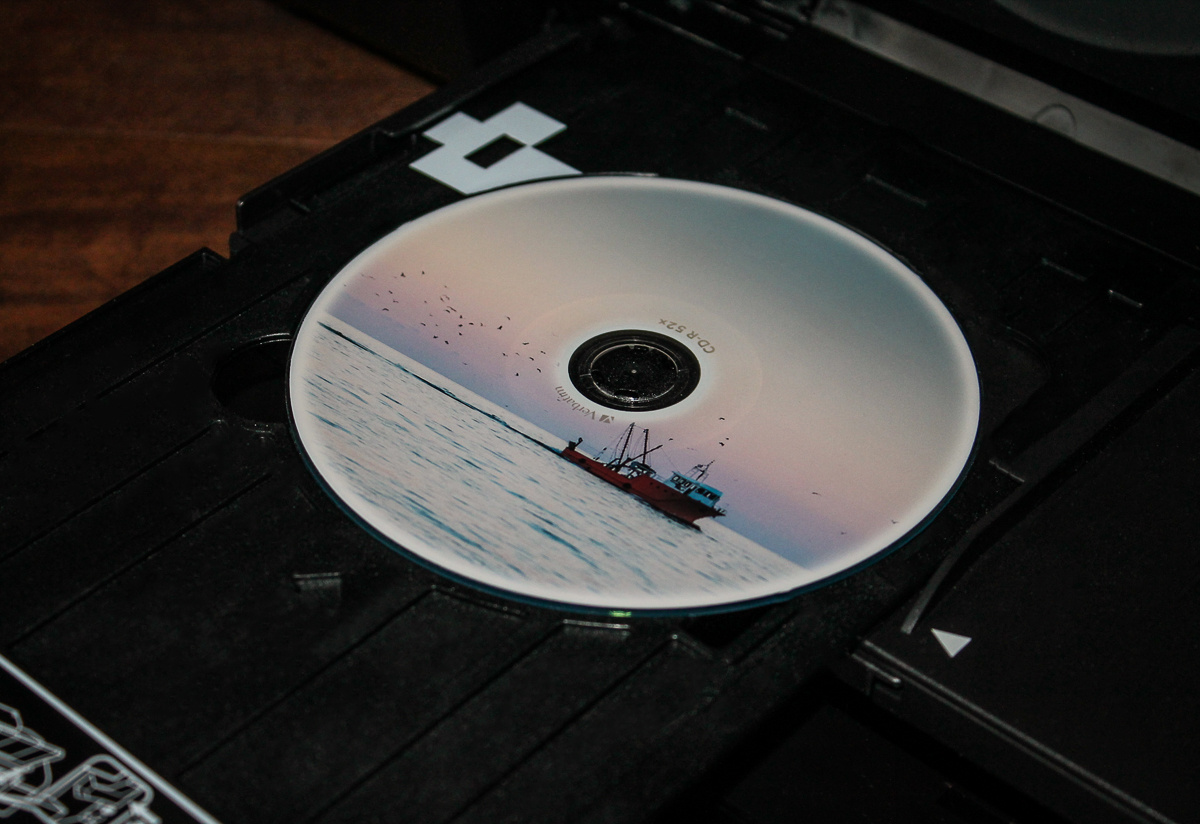
When printing ends, the ink on the disc still has to dry. Take the disc out of the tray very carefully or the print can smear. Full drying takes about 20 minutes in practice.
Setup, software and phone printing
Setup is the usual: power up, connect over USB or Wi-Fi, install the drivers. The installer guides you step by step, although part of its text stayed untranslated in the localized version. The test router had no WPS button, the feature that simplifies joining a Wi-Fi network. So the printer was paired with the router through a temporary USB connection. Owners of old routers should plan for a cable, which is not in the box.
The driver has plenty of quality and speed settings for color and black-and-white documents, watermarks and saved presets. On plain paper it adds Draft and a custom mode with a speed or quality priority. The bundled software includes:
- Epson Easy Photo Print: select, crop, scale and color-correct photos, apply one edit to all of them, and lay out a collage of photos on one A4 sheet.
- Epson Print CD: disc and case designs, described above.
- Epson iPrint (free mobile app): prints photos from the phone at a chosen size and quality, pulls files from the main cloud services, prints web pages from a built-in browser, captures a document with the phone camera for printing, and runs printer maintenance.
The camera capture feature will please students: photograph your lecture notes and print them instead of scanning. The L800 could not print from mobile devices at all.
What changed since this test
Editor's note, November 2026. This test dates from December 2016. Epson's current model in this line is the EcoTank L8050, sold as an "A4 Wi-Fi Ink Tank Photo Printer". Its product page lists the same six 70 ml bottles (black, cyan, light cyan, yellow, magenta, light magenta) and rates one set at "up to 2,100 quality 10x15cm colour photos", 17 % more than the 1,800 claimed for the L805 (2,100 ÷ 1,800 = 1.17). Ink per print falls to 0.20 ml (420 ml ÷ 2,100). Epson quotes 12 seconds per 10×15 cm photo on Premium Glossy paper, and adds printing on PVC ID cards next to CDs and DVDs.
Successor: The Epson EcoTank L8050 keeps the six 70 ml bottles and raises the rated yield to 2,100 prints of 10×15 cm per set, 17 % more than the L805.
For other print sizes and budgets, compare the A3+ Epson XP-15000, the pigment-ink Epson SureColor SC-P700 and the dye-sublimation Canon SELPHY for 4×6 prints.
Pros and cons
The L805 gives lab-level print cost at home, and you get the prints immediately instead of sending files and waiting for delivery.
Pros:
- high photo print quality;
- low cost per print;
- easy printing over Wi-Fi and from mobile devices;
- large consumable capacity compared with regular photo printer cartridges;
- a wide range of flexible print settings;
- useful bundled software.
Cons:
- ink level can only be checked by eye;
- Draft mode prints text with a brownish tint;
- a slight cool cast in black-and-white photo prints;
- slow printing, made up for by the quality;
- no USB cable in the box, which can complicate connecting to a PC or the local network.
Frequently asked questions
- Is the Epson L805 a good photo printer?
- For home photo printing on a budget, yes. In this test it reproduced midtones and colors close to the originals, with high detail and minimal visible noise on Epson Premium Glossy paper. The weak points were a slight cool cast in black-and-white prints, a small color shift on one test frame and slow printing: about 5 minutes for an A4 photo at high quality.
- How many photos does the Epson L805 print per ink set?
- Epson rated one set of six 70 ml ink bottles at about 1,800 prints in the 10×15 cm (4×6 in) format. That works out to roughly 0.23 ml of ink per print. The bottles can be topped up before a tank runs dry, and leftover ink keeps in the capped bottle until the next refill.
- What replaced the Epson L805?
- The current model in this line is the Epson EcoTank L8050, an A4 Wi-Fi ink tank photo printer that also uses six 70 ml bottles. Epson rates it at up to 2,100 10×15 cm color photos per set of bottles, against 1,800 for the L805, and at 12 seconds per 10×15 cm photo on Premium Glossy paper. It also prints on PVC ID cards, CDs and DVDs.
- Can the Epson L805 print on CDs and DVDs?
- Yes. A universal disc tray comes in the box and takes discs 12 cm and 8 cm in diameter, as long as they have a printable coating. Printing one disc took about 3 minutes from the Epson Print CD software. The ink then needs about 20 minutes to dry fully, so lift the disc out of the tray carefully.
- Does the Epson L805 have Wi-Fi, and is a USB cable included?
- It has Wi-Fi and prints directly from phones and tablets through the free Epson iPrint app. A USB cable is not in the box. That matters if your router has no WPS button: in this test the wireless setup had to be done over a temporary USB connection, so the tester had to find a cable first.
Sources
- EcoTank L8050: A4 Wi-Fi Ink Tank Photo Printer, Epson Europe (2026)
- Epson EcoTank L8050 Ink Tank Photo Printer, Epson India (2026)
- Continuous ink system, Wikipedia (2026)
Originally published on Prophotos.ru.