The exposure triangle explained
by Konstantin Voronov · Photography Tips
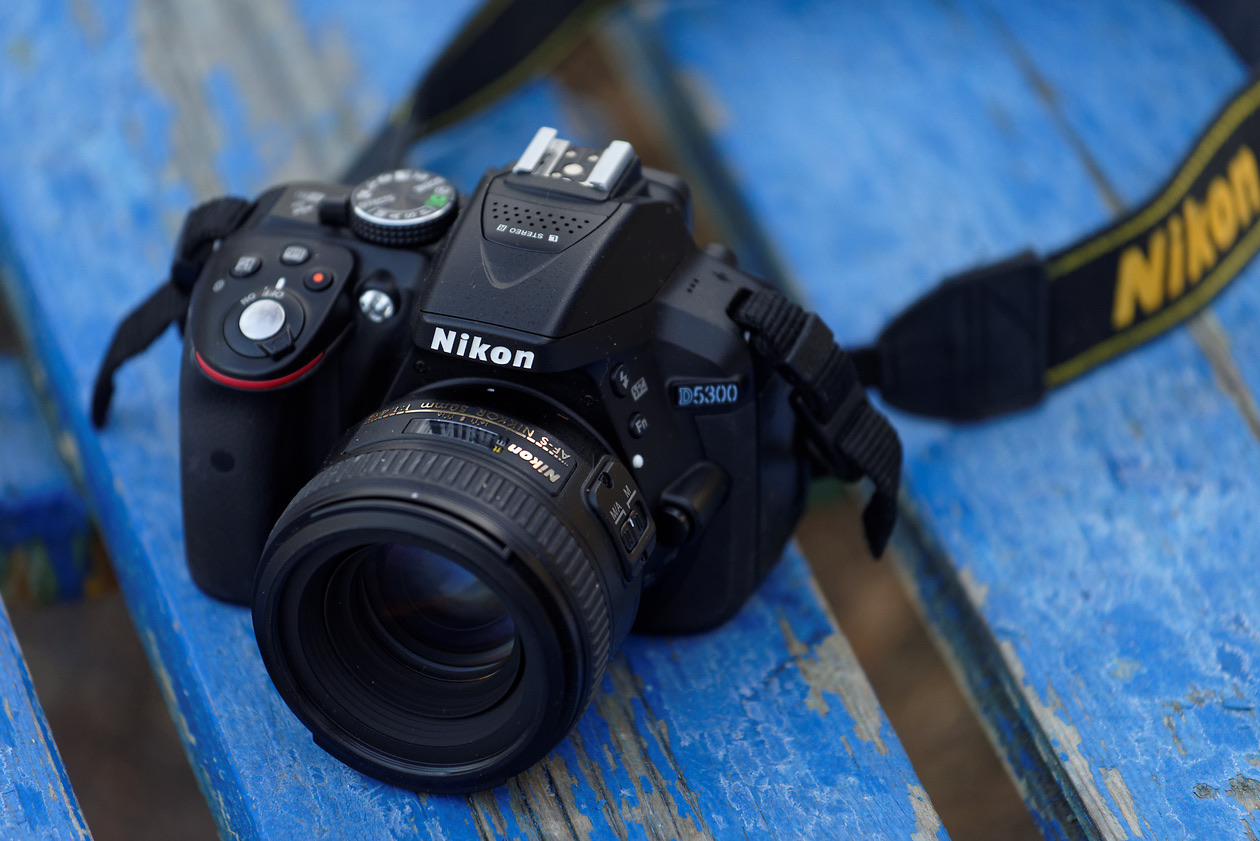
In short: Exposure is the amount of light that reaches the sensor. Three settings control it: shutter speed, aperture and ISO. Each also changes something else in the picture (motion blur, depth of field, noise), and each one-stop change doubles or halves the light, so you can trade one setting for another and keep the same brightness.
When people learn photography, probably no technical topic raises more questions than exposure. Most beginners are scared off by the word itself. They immediately picture formulas from higher mathematics and draw the wrong conclusion that the topic is beyond them. In fact, it is not that hard.
Understanding exposure helps you take better pictures, because along the way you learn how a photograph comes about at all and what happens inside any camera.
What is exposure in photography?
Anyone who has been to a museum knows the word: an exposition is a presentation of exhibits. Exposure in photography is the "presentation" of the future frame to the camera. We can "show" the frame to the camera in different ways, because three parameters are responsible for exposure: shutter speed, aperture and ISO (sensitivity). First of all, they determine how bright the picture will be. They also have other important functions, which we will go through one by one below.
Recall that a camera, like the human eye, does not see objects themselves but the light reflected from them. That is why light plays the decisive role in photography. The exposure parameters measure out the right amount of light for a good picture. If too little light reaches the sensor (for example, when we shoot in a dimly lit place), the frame comes out too dark; if too much light gets in, the frame is overexposed.
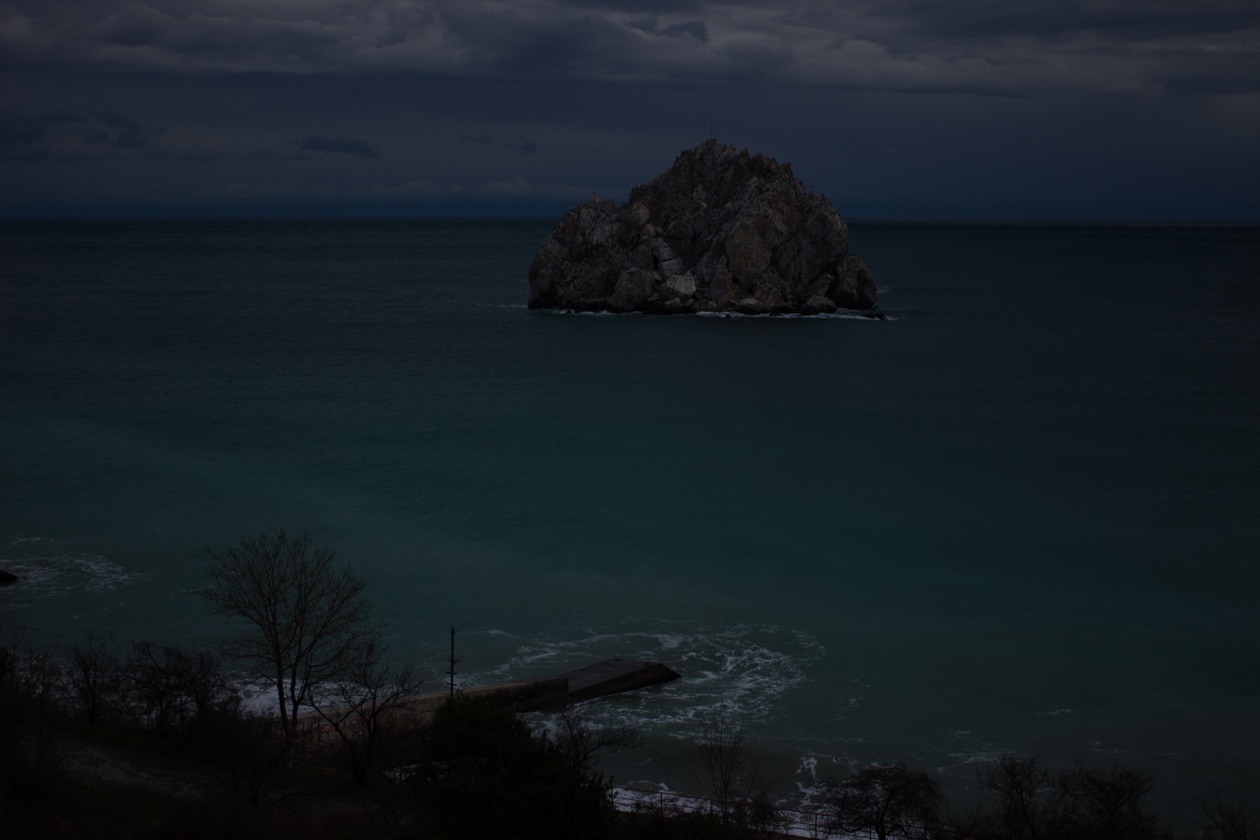
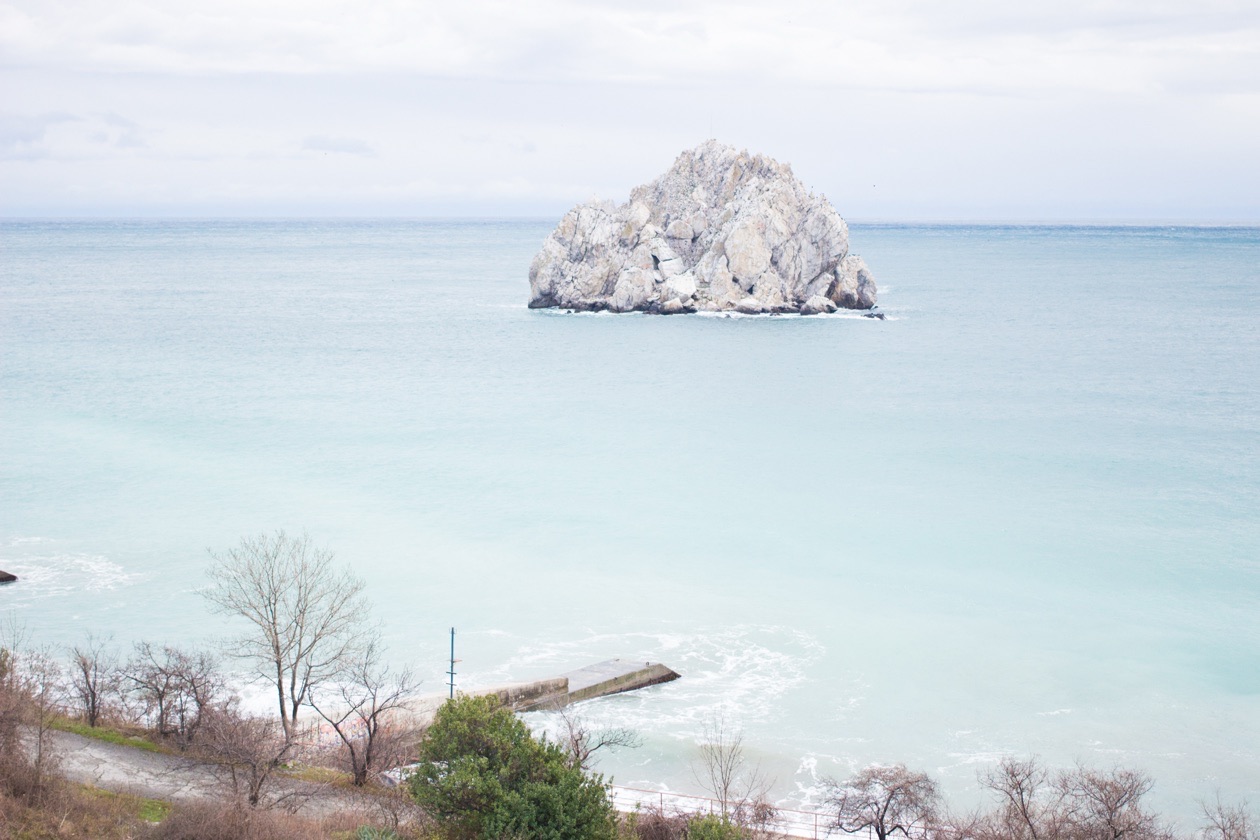
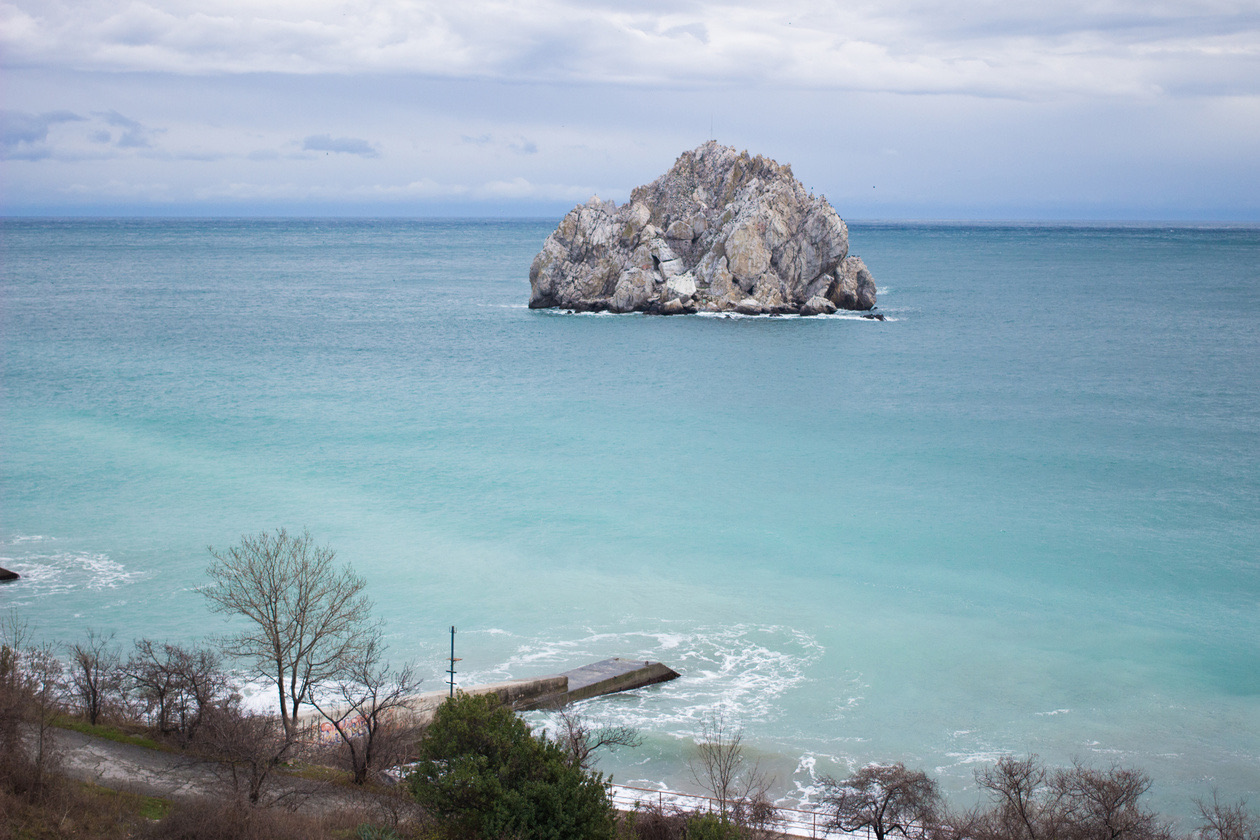
The three settings of the exposure triangle
Each setting changes the brightness and also leaves its own mark on the picture. This is the core of the exposure triangle: you never choose a setting only for brightness.
| Setting | What it is | Brighter frame | Side effect |
|---|---|---|---|
| Shutter speed | How long the sensor is exposed to light | Longer shutter speed | Motion blur and camera shake |
| Aperture | Size of the opening in the lens, written as an f-number | Smaller f-number (wider opening) | Shallower depth of field, more background blur |
| ISO | Sensitivity of the sensor to light | Higher ISO | More digital noise |
Shutter speed
Shutter speed is probably the most versatile and the most difficult exposure parameter. It is the exposure time of the frame: the time during which we show our scene to the camera sensor. The longer the shutter speed, the more light reaches the sensor. But remember that our world is constantly in motion. What will a moving object look like if you photograph it at a long shutter speed? It will blur. Even a completely still object can blur at a long shutter speed if the camera itself shakes even slightly, for example in the photographer's hands. Blur caused by the camera moving is called camera shake. How do you avoid it? In short, use a shorter shutter speed (the shutter speed guide gives the handheld limits).
To get sharp pictures, photographers use shutter speeds measured in fractions of a second. A typical shutter speed is 1/125 of a second. It seems like a very short time! But if you are photographing something that moves (sports games, children at play and so on), even this shutter speed is not enough, and you will have to shoot at shorter values. A common beginner's mistake is shooting at a shutter speed that is too long, which produces blurred frames.
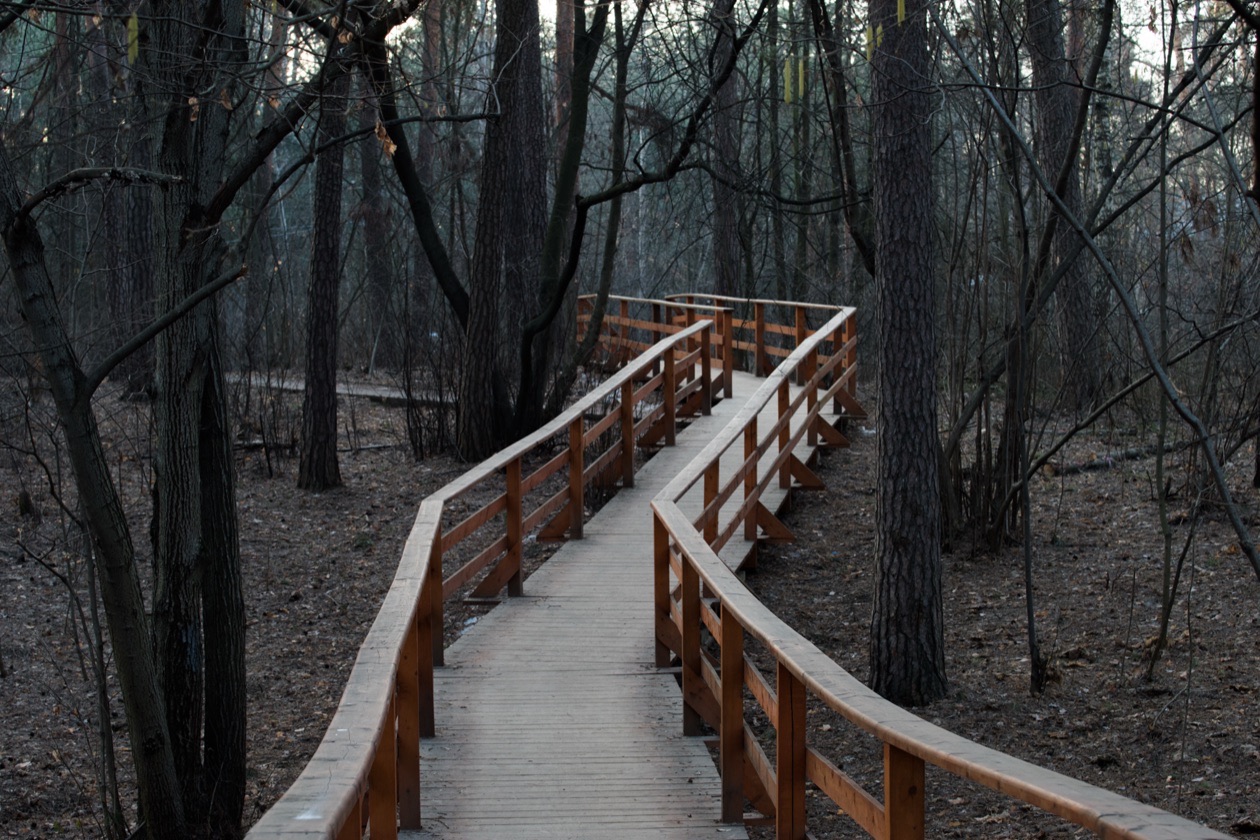
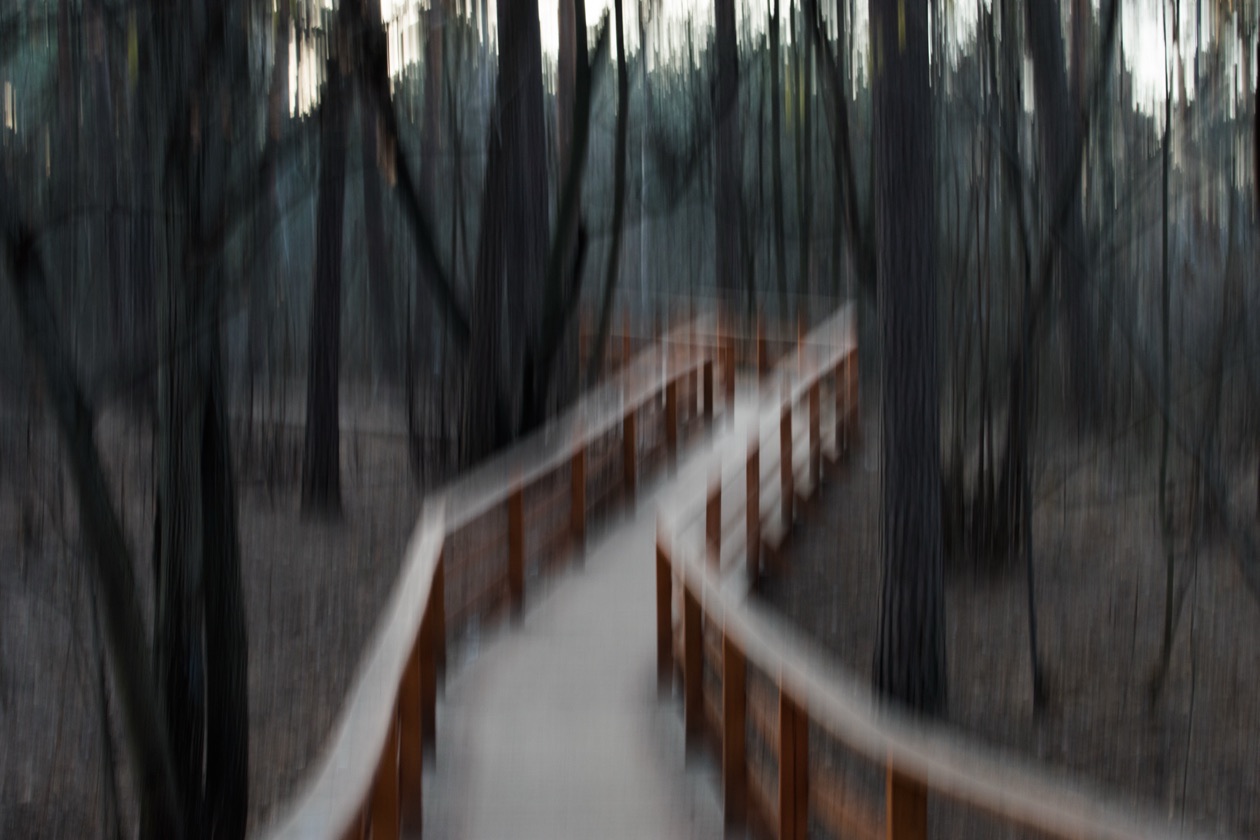
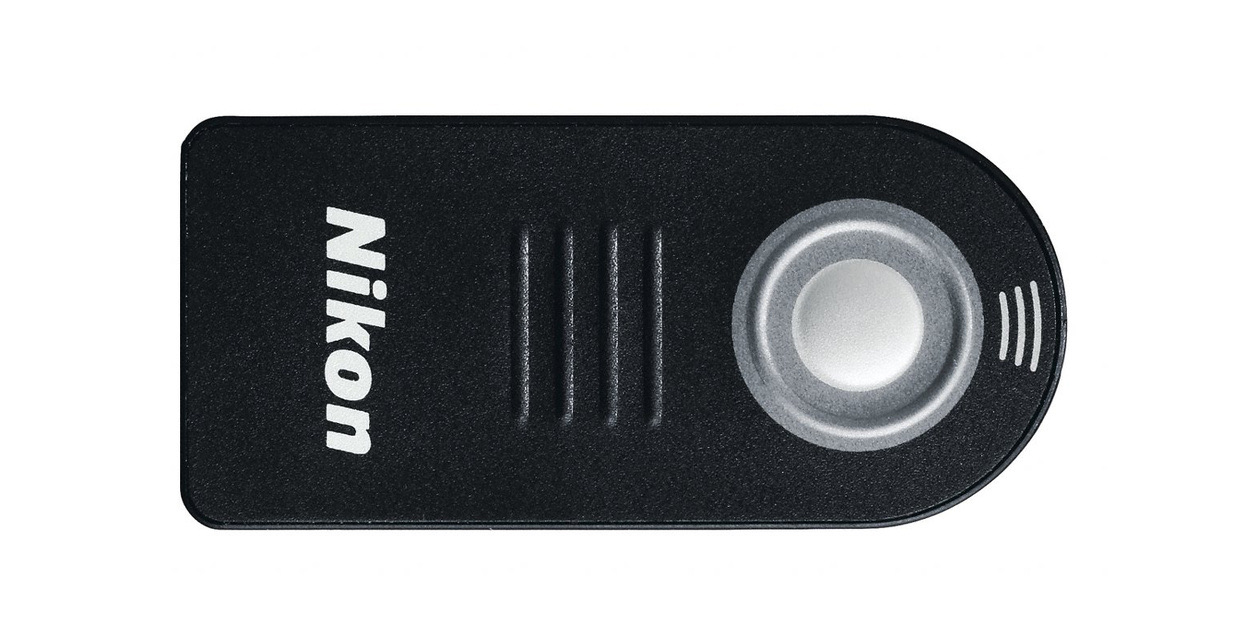
Modern interchangeable-lens cameras can set shutter speeds from 1/4000 s (or even 1/8000 s) to 30 seconds. You can also make an exposure of any length yourself by setting the B (Bulb) mode. That mode is easier to work with if you have a remote control for the camera.
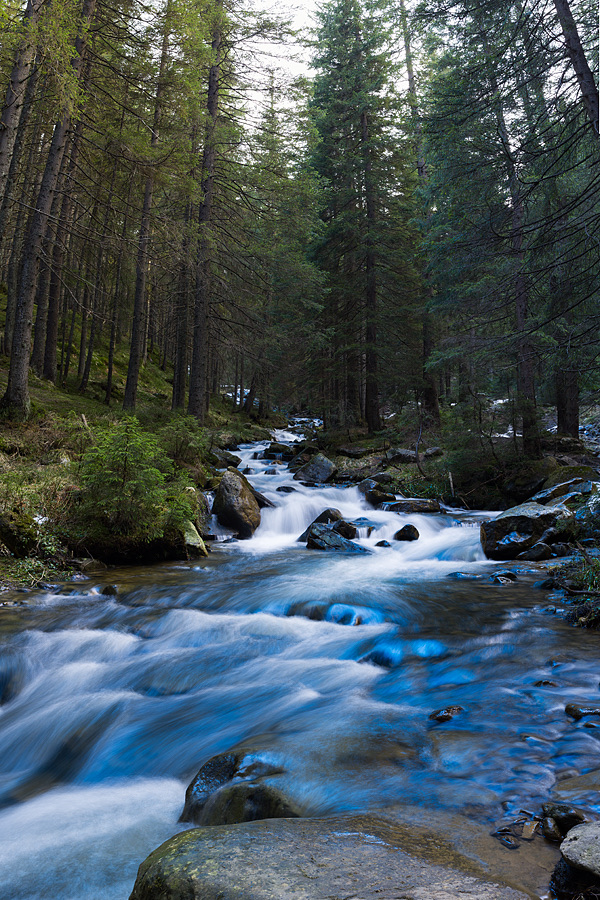
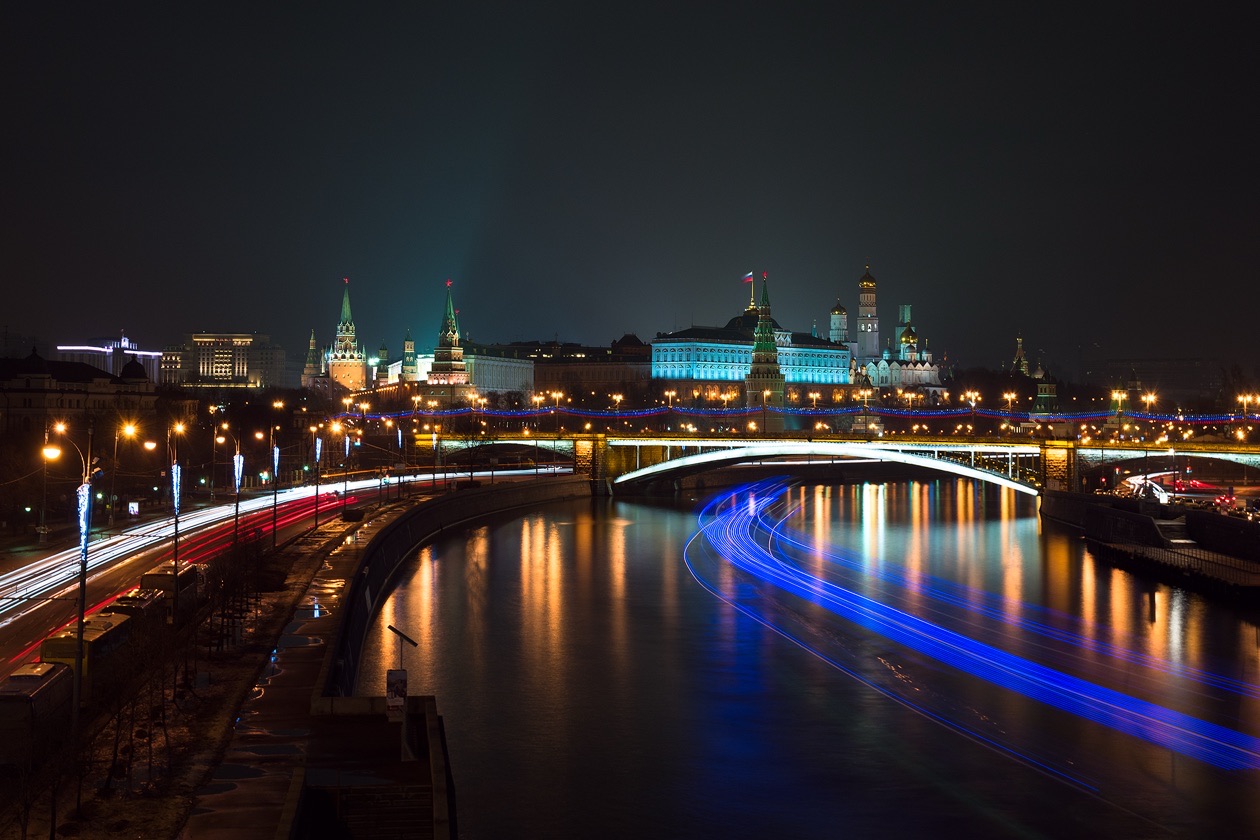
An attentive reader will ask: why do you need shutter speeds of 1 to 30 seconds if everything blurs at anything longer than 1/60 s? Long shutter speeds are only for those who can hold the camera firmly in place on a tripod or another support. They help you shoot at night in very poor light, and they also let you blur motion strongly, which gives unusual pictures. Any motion can be blurred at a long shutter speed: people walking, water, traffic. Shutter speed has its own detailed guide: what shutter speed is and how to set it.
Aperture
The aperture is a device that adjusts the diameter of the opening in the lens through which light reaches the sensor. We can make this opening smaller or larger. More light passes through a large opening, less through a small one. But the aperture controls more than the flow of light: it also controls depth of field, the zone of the picture that is sharp. Closing the aperture (stopping down) increases depth of field; opening it reduces depth of field and blurs the background more. The size of the opening is written as a number, and the larger the number, the smaller the opening. The number is usually preceded by the letter F, for example F3.5, F5.6 or F16. How wide you can open the aperture depends on your lens.
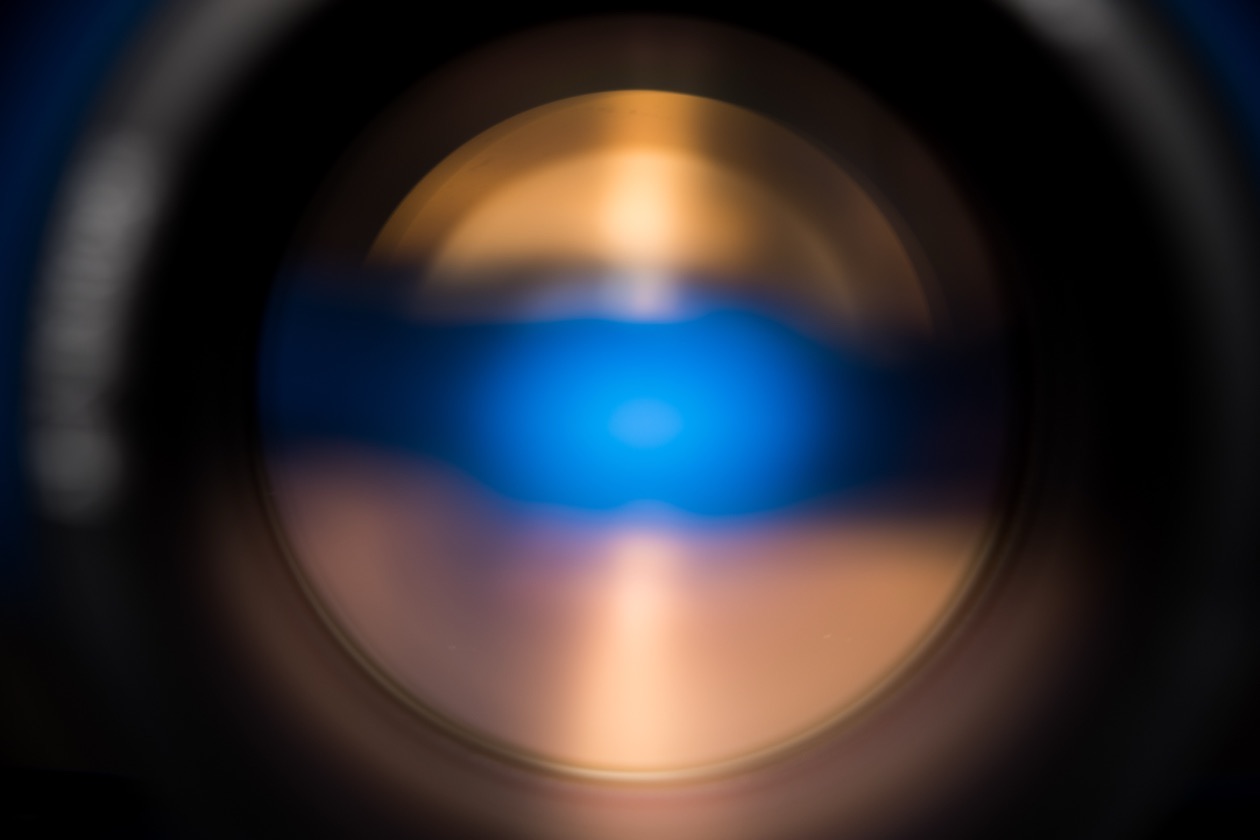
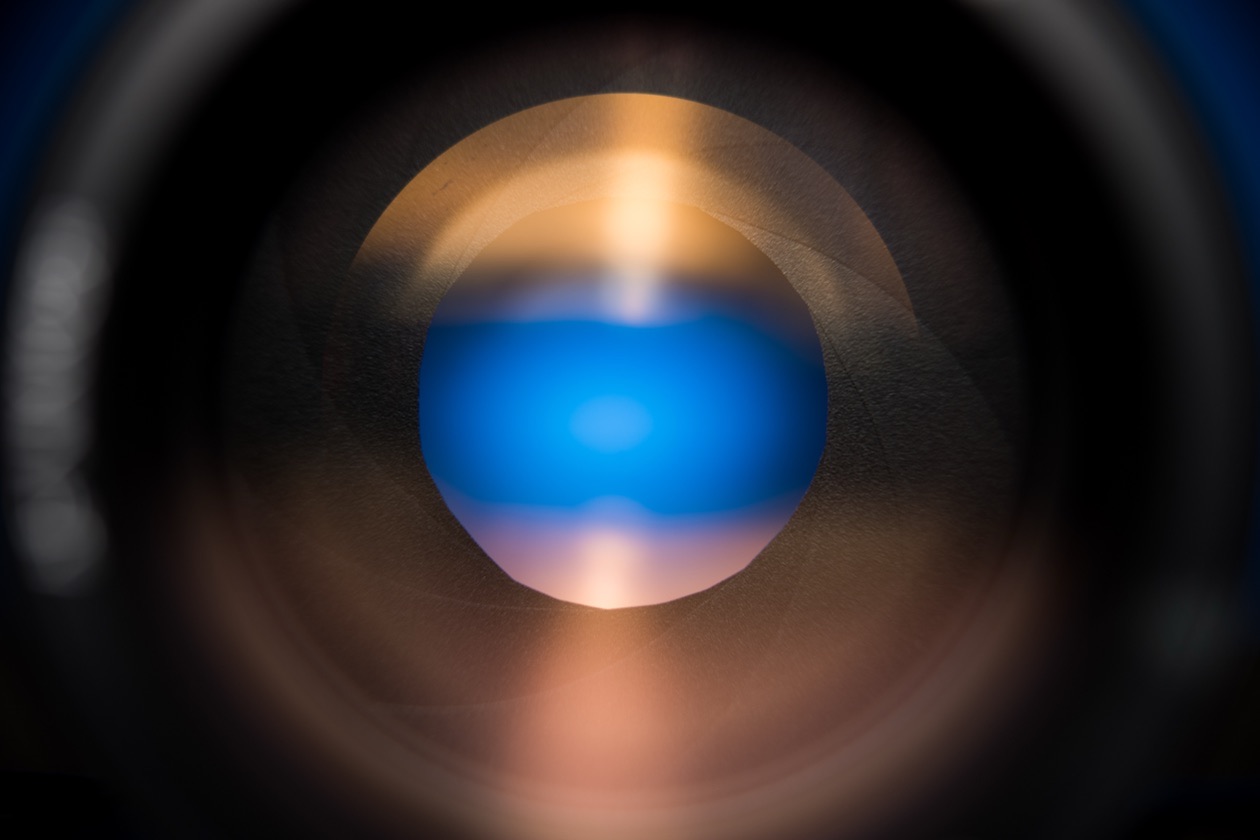
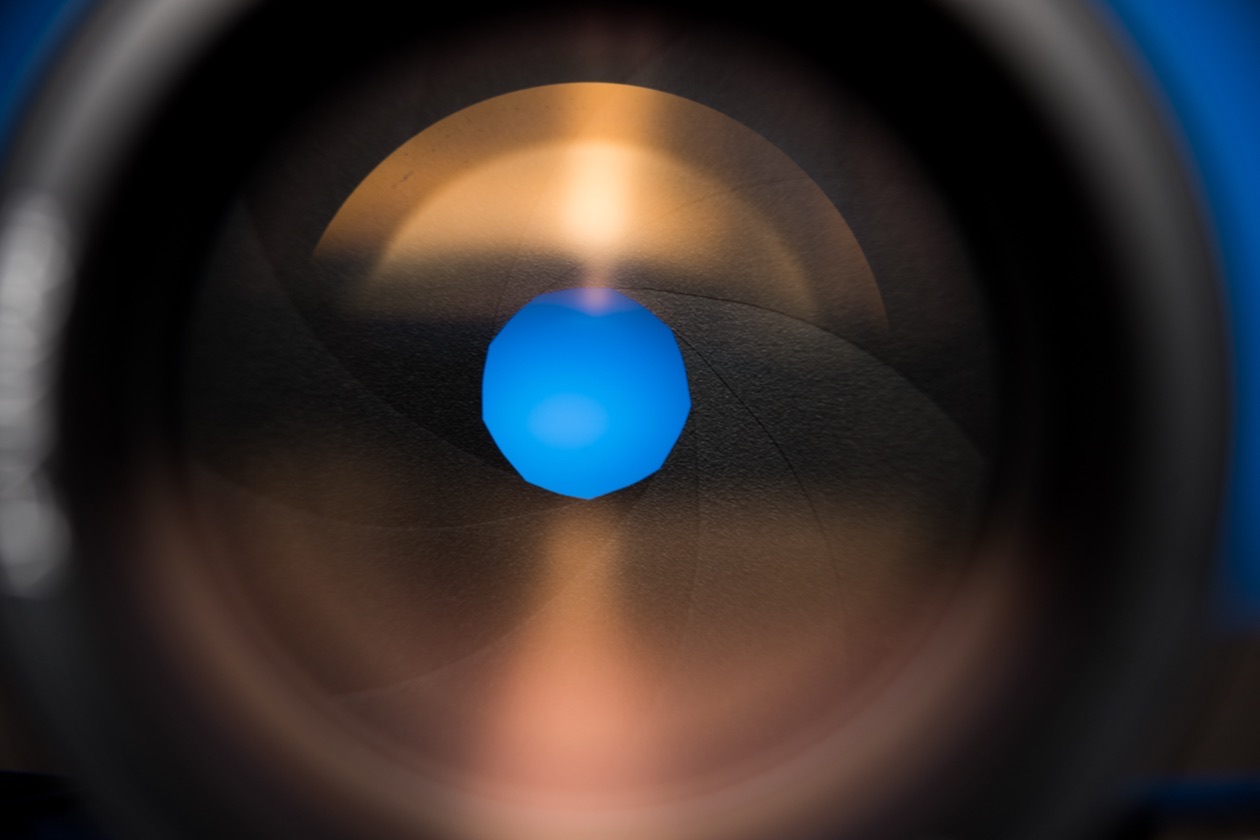
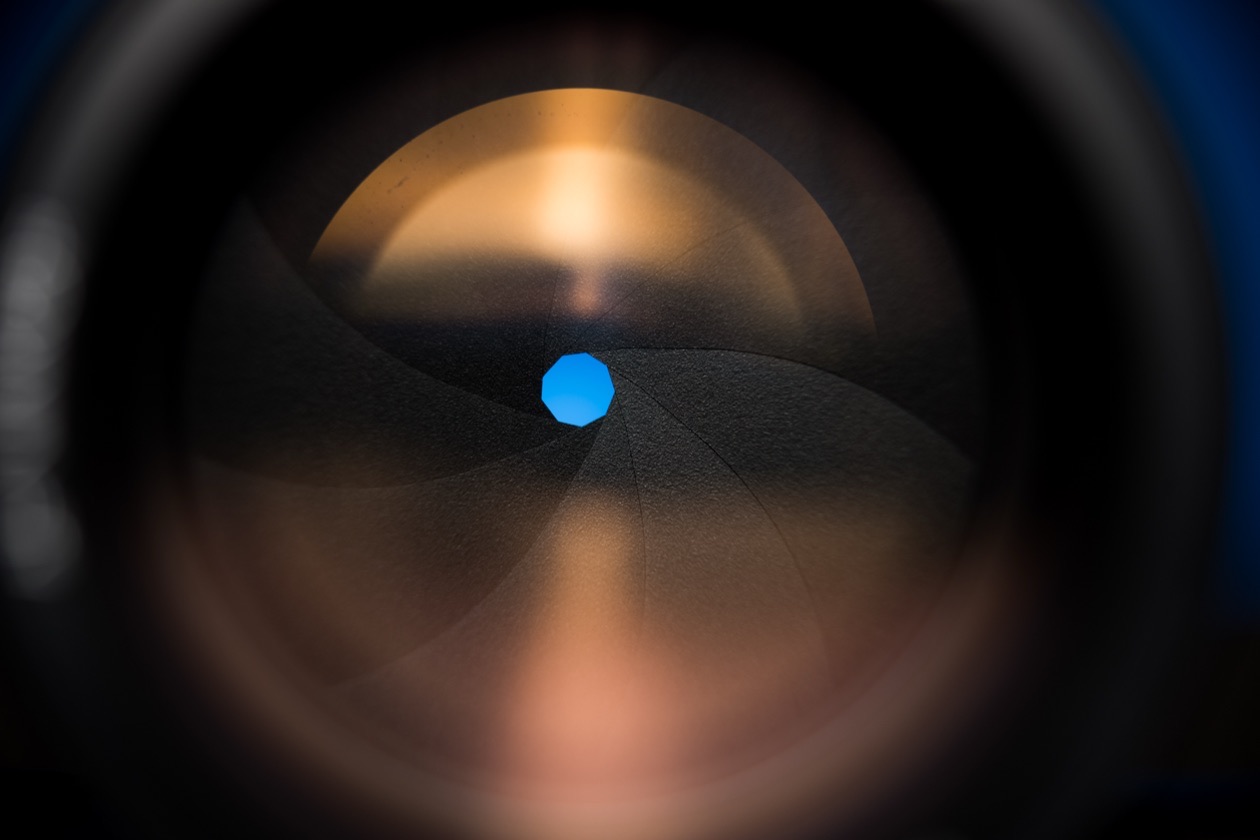
The value of a lens's widest aperture is frequently called its maximum aperture, or the speed of the lens. Simple lenses have a maximum aperture of F3.5–5.6. Advanced models open wider (F1.4, F2.8): they pass more light and can blur the background more strongly. Aperture has its own guide with a full f-stop chart: what aperture is and how f-stops work.
Because different combinations of shutter speed and aperture give different effects in the photo (motion rendered differently, different depth of field), the two parameters are closely linked. That is why a shutter speed and aperture pair is sometimes called an exposure pair.
ISO
As you might guess, ISO (sensitivity) describes how sensitive the camera sensor is to light. Think of the beach: one person tans (and even burns) quickly, another slowly, because their skin reacts to sunlight differently. A camera sensor is similar, except that we can adjust its sensitivity and make it "tan" faster or slower. Sensitivity is measured in ISO units, and the higher the number, the higher the sensitivity. But as sensitivity rises, interference appears in the picture: digital noise. Every sensor has a minimum sensitivity at which it gives the best image quality, usually ISO 100. Remember one pattern when you adjust it: the higher the ISO, the more digital noise in the picture. At ISO 400–800 (depending on the camera) quality is still very high; above that it gradually starts to drop.
So ISO is raised only when not enough light reaches the camera for the shutter speed you have chosen, a shutter speed set by the subject. To get a bright, sharp frame at a relatively short shutter speed, you have to either open the aperture or raise the ISO. Raise ISO only when you need a shorter shutter speed for a particular subject (for example, when something in the frame moves and would blur at a very long shutter speed). ISO is never raised "just in case", because that brings digital noise. Let us look at what noise looks like at different ISO values and how it spoils pictures.
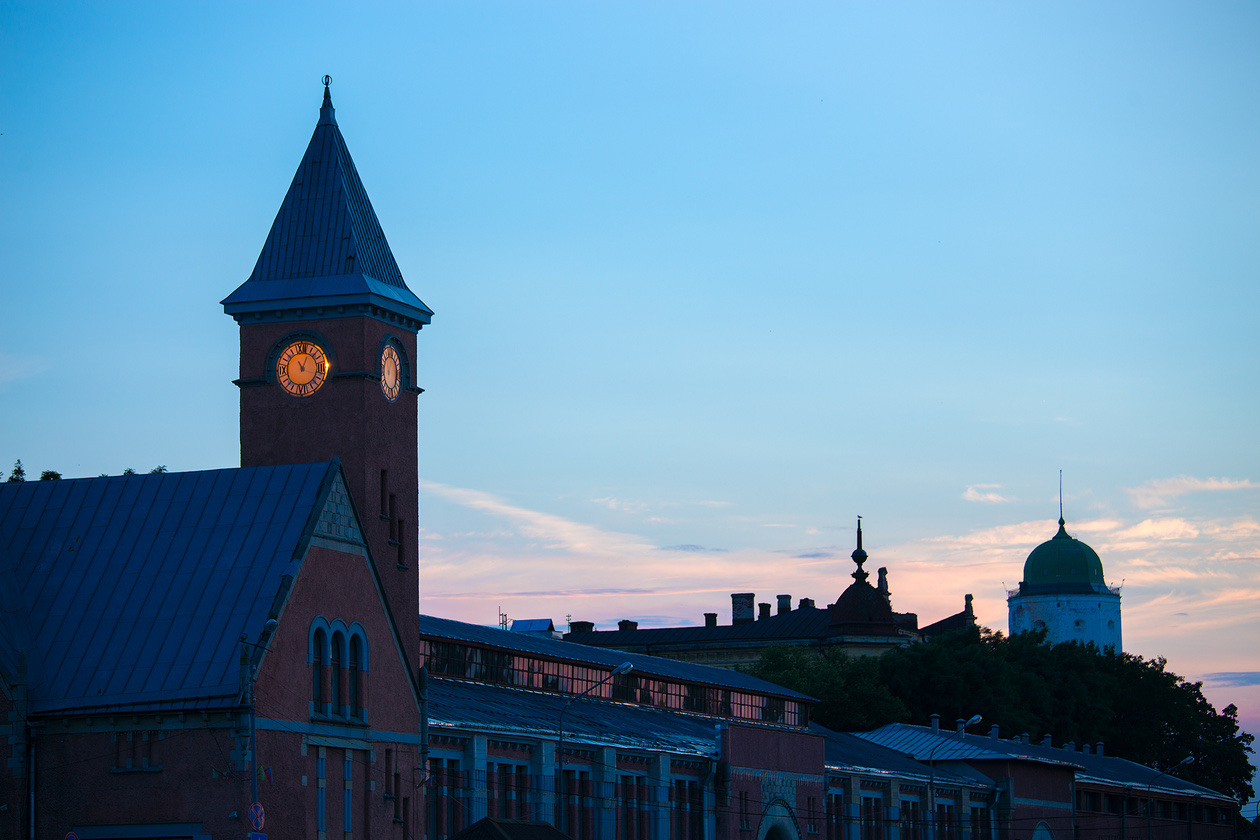
We photographed this scene at different ISO values and look at crops at 100% magnification.
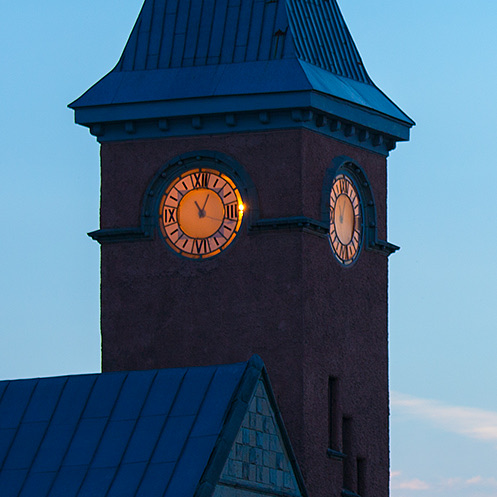
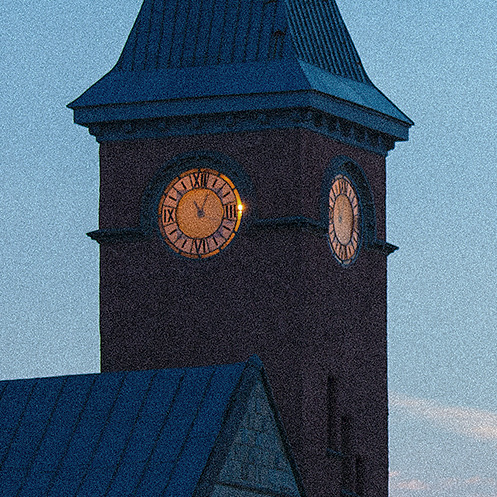
The level of digital noise differs between cameras and depends on the model. As a rule, the more modern the camera and the larger its sensor, the less noise it produces. The full ISO story, with a chart of ISO steps, is in what ISO is and when to raise it.
What is a stop? Measuring exposure in EV
Few photographers know what an exposure value is, yet every photographer meets it all the time: when using exposure compensation and even when processing RAW files on a computer. You frequently hear the phrase "make the frame a stop brighter". What are these mysterious stops?
We already know that the same brightness of a photo (the same exposure) can be reached with different combinations of shutter speed, aperture and sensitivity. Each such combination is one particular case of a given exposure. The exposure itself can be described not only by a particular combination of the three settings but also by a single number: the exposure value, or EV. One EV number covers all the combinations of shutter speed, aperture and sensitivity that give a correct exposure of the frame. In effect, it describes the brightness of the scene without naming any of the three settings.
The camera's automation does exactly this: it first measures the brightness of the scene in EV and then converts the value into a shutter speed, aperture and ISO to suit the subject. A landscape is better stopped down, while a portrait is better shot with the aperture open.
Here is an example. EV 0 is the amount of light needed to expose a frame at a shutter speed of 1 second, aperture F1 and ISO 100. An F1 aperture is relatively rare, although such ultra-fast lenses exist. Recalculated into a more realistic combination, EV 0 equals ISO 100, F2.8 and a shutter speed of 8 seconds.
Each increase of the exposure value by one means that the scene is twice as bright and gives off twice as much light. Note that exposure values can be negative as well as positive: a starry sky on a moonless night measures about -8 EV.
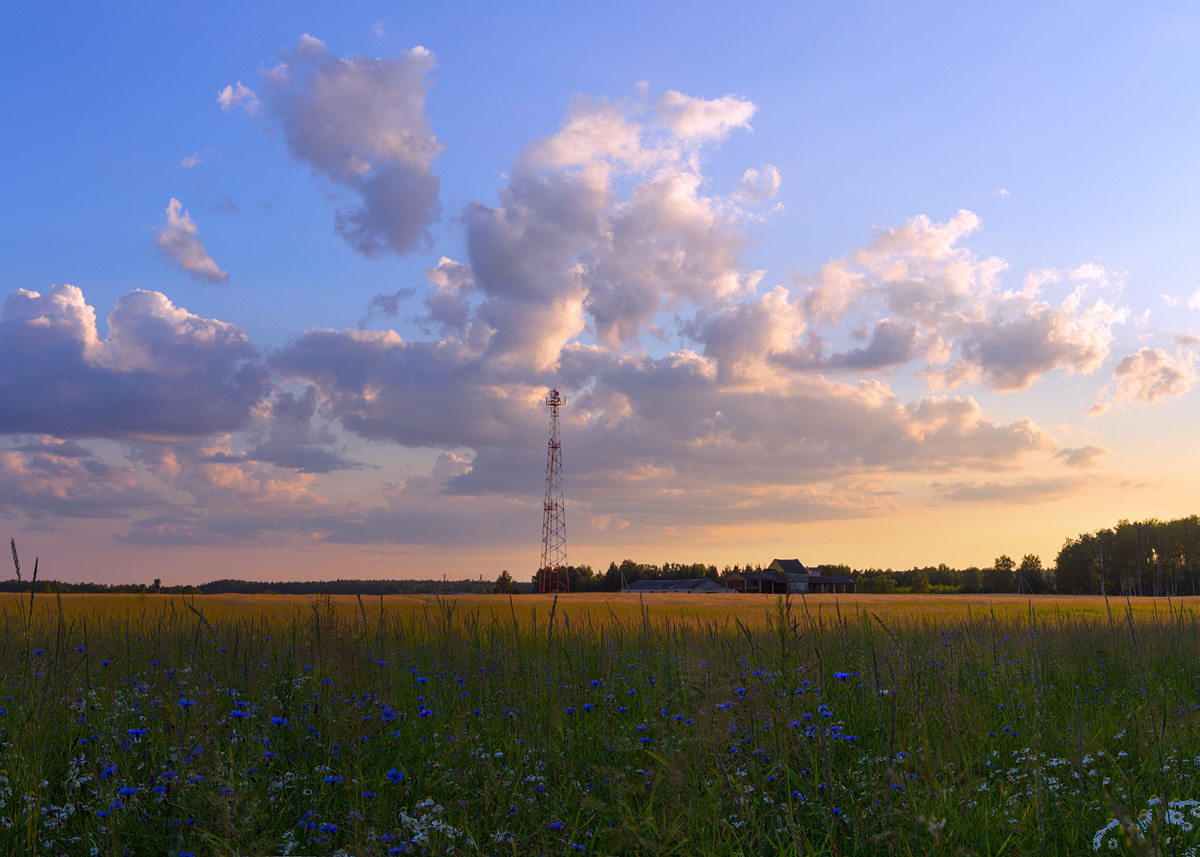
Photographers frequently call one exposure value a stop. "Increase the exposure by a stop" means increasing it by one exposure value, by 1 EV. Exposure values can also be fractional, for example 0.5 EV or ⅓ EV. Everyone who uses exposure compensation deals with stops, because compensation is measured in exposure values: with it, we make the frame brighter by a set number of stops relative to the settings the automation wants to use.
You also meet exposure values in camera specifications. The working range of a camera's autofocus is given in EV; for the Nikon D750, a full-frame DSLR that was new when this lesson was written, it is -3 to +19 EV. The dynamic range of a camera is given in EV too. For the same D750 it is 14.5 EV, meaning a picture can show detail across a brightness difference of 14.5 stops.
Editor's note: one stop on each setting. Every row below adds exactly one stop of light, and so does each step down the table. The exposure value formula is EV = log₂(N²/t), where N is the f-number and t the shutter time in seconds (Wikipedia, Exposure value).
| One stop brighter by | From | To | Brightness |
|---|---|---|---|
| Shutter speed | 1/250 s | 1/125 s | ×2 |
| Aperture | f/8 | f/5.6 | ×2 |
| ISO | ISO 200 | ISO 400 | ×2 (the sensor signal is amplified, the light is the same) |
| Exposure compensation | 0 EV | +1 EV | ×2 |
| Removing an ND2 filter | with filter | without | ×2 |
The same arithmetic runs through filters. A neutral density (ND) filter is labeled with the factor by which it cuts the light, and the stops are the base-2 logarithm of that number (computed):
| Filter | Light reduction | Stops lost |
|---|---|---|
| ND2 | 1/2 | 1 |
| ND4 | 1/4 | 2 |
| ND8 | 1/8 | 3 |
| ND64 | 1/64 | 6 |
| ND1000 (actually 1/1024) | 1/1024 | 10 |
| Polarizing filter | about 1/4 | about 2 |
The density table, with how long each filter lets you expose, is in ND filters for long exposure, and the polarizer's loss of about 2 stops is covered in polarizing filters and how to use them. All filter types side by side: camera lens filters explained.
Reciprocity: the same exposure from different settings
We already know that the same brightness of a picture (the same exposure) can be reached with different combinations of shutter speed, aperture and sensitivity. This is called the law of reciprocity.
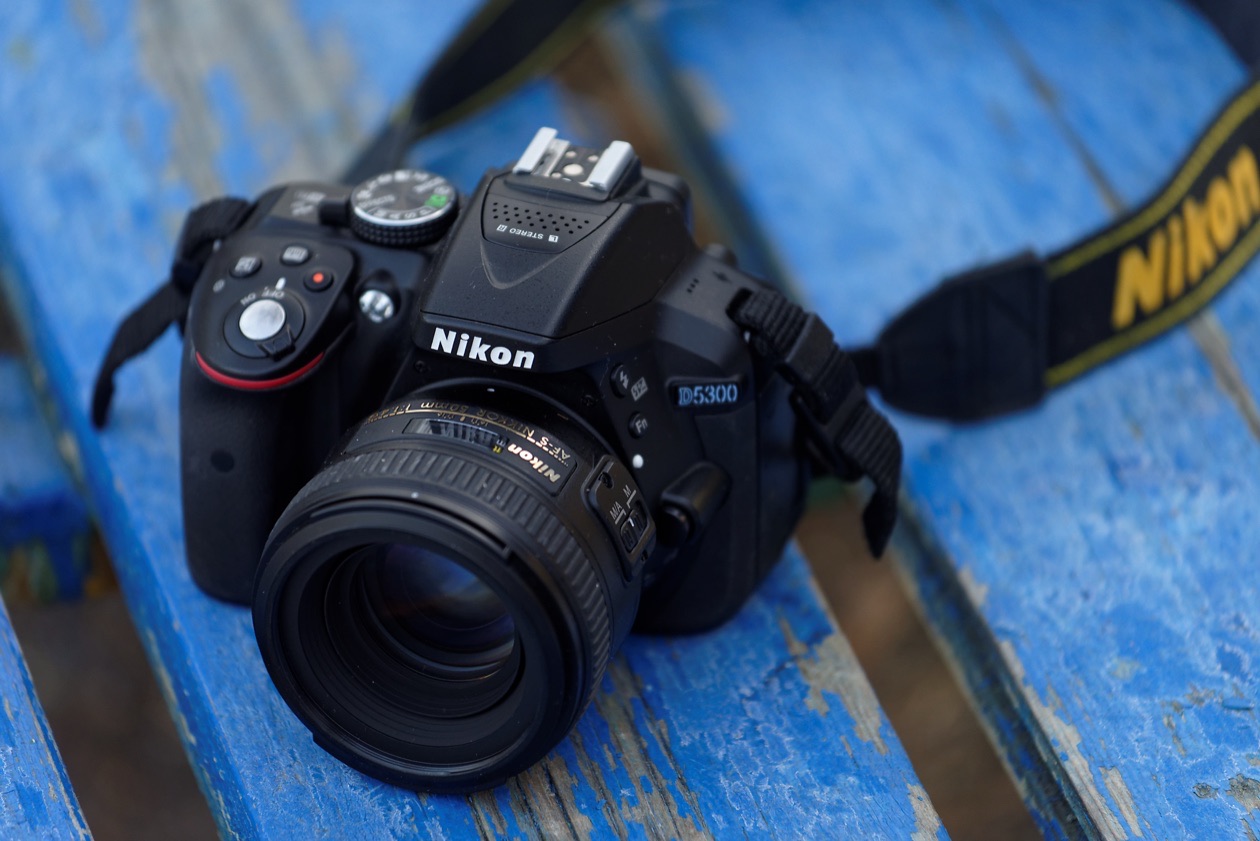
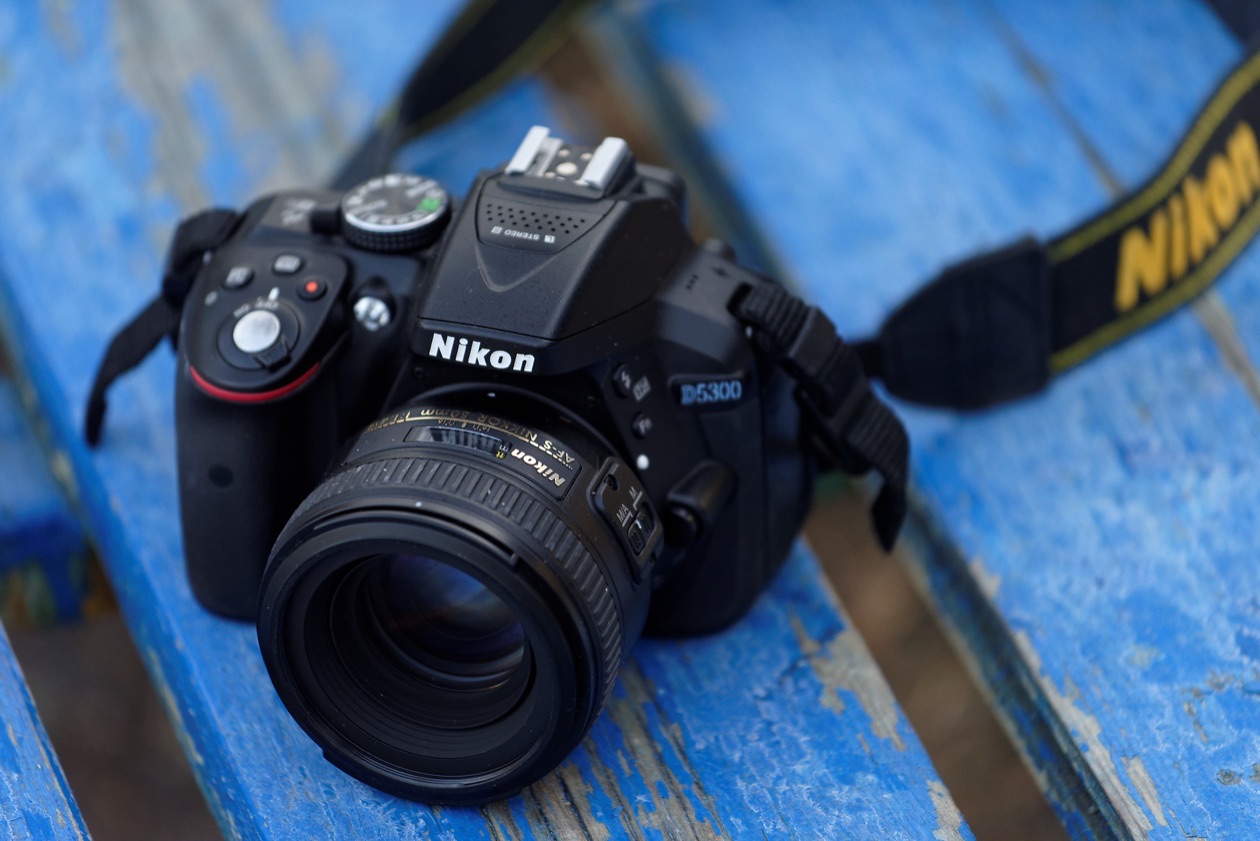
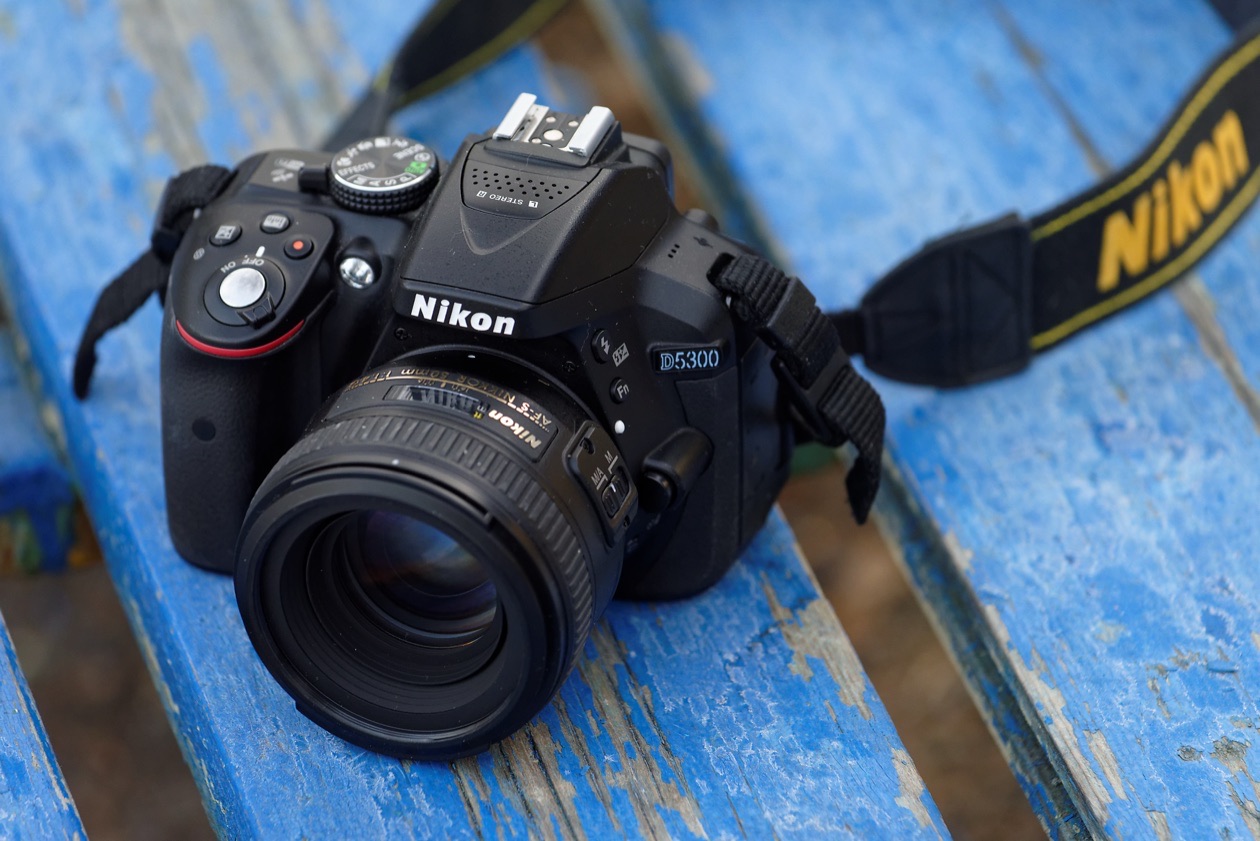
With different combinations of shutter speed, aperture and ISO, we got frames of the same brightness.
Editor's note: the arithmetic confirms it. Converted to an exposure value at ISO 100 with the formula above, the three frames come out at EV 10.0, 9.8 and 9.8, all within a quarter of a stop of each other (computed from the settings in the captions).
But for different subjects one particular combination may work better. For example, a portrait is better shot with the aperture open to blur the background, and for a night landscape it is worth lengthening the shutter speed.
How does the camera measure exposure?
Modern cameras are almost entirely electronic. But despite the electronics' efforts, photographers still regularly get frames that are too dark or overexposed. To avoid this, you need to understand how the camera measures exposure and how you can adjust that process to match your creative intent.
There are two ways to measure exposure. Light from a source first falls on the subject, and only the light reflected from the subject then enters the camera. So we can measure either the light falling on the subject or the light reflected from it.
Reflected-light metering. Every modern camera has a built-in exposure meter. A modern meter is a complex device with hundreds, thousands or even tens of thousands of sensing elements (depending on the camera model) that analyze the light across the whole frame, and they do it accurately.
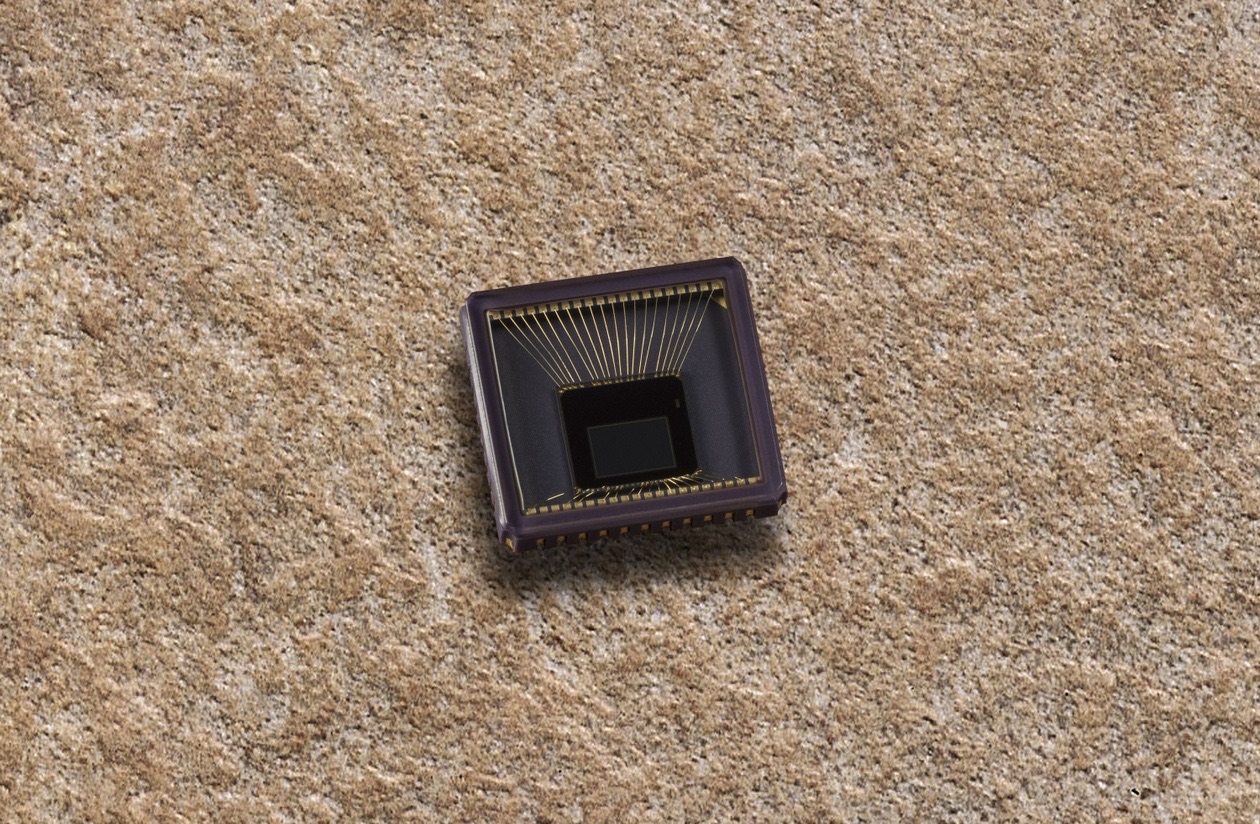
Yet we still get frames that are a bit dark or too light. Why? The subjects are to blame. They reflect light differently and have different brightness, and it is exactly the reflected light that the camera measures. A black object absorbs a lot of the light falling on it and reflects very little; a white object does the opposite. The camera's sensor knows nothing about what we are shooting or how bright the subject is. So it assumes that midtone (average-brightness) objects dominate the scene. In most cases that is true.
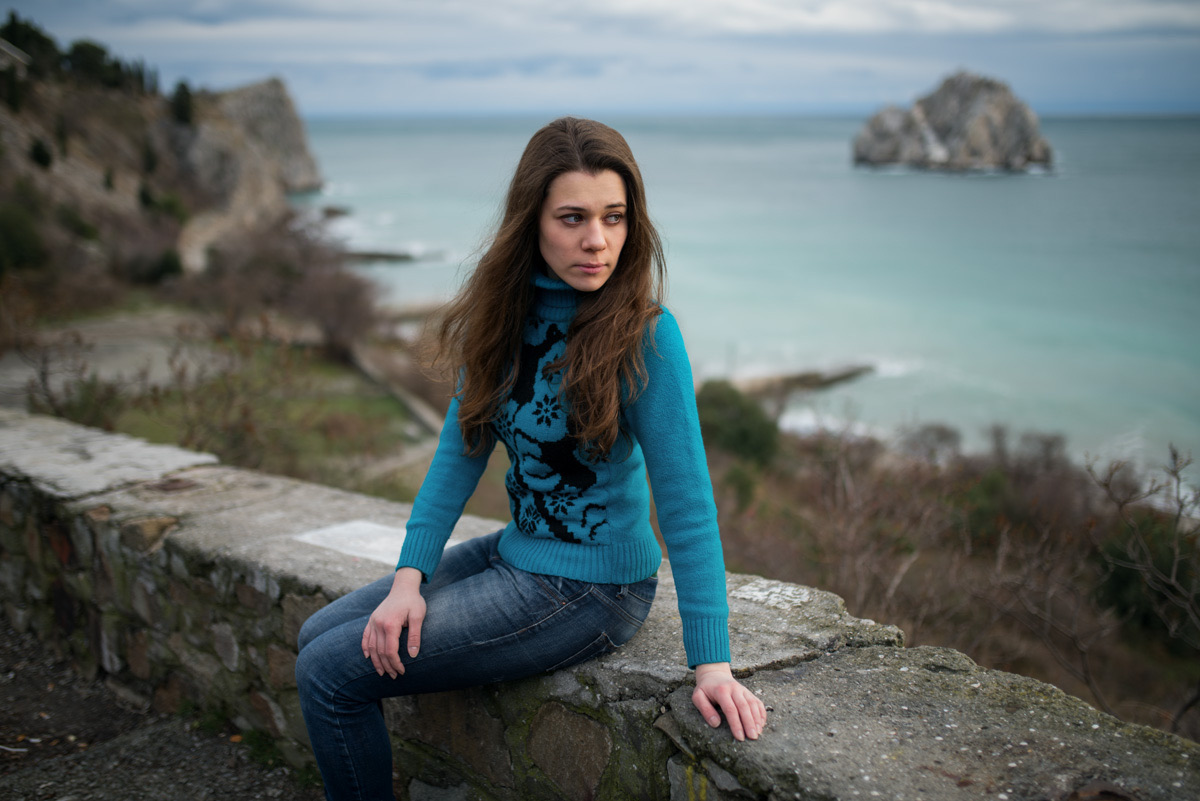
But there are exceptions. A snowy landscape is dominated by light tones. The camera still works from the false premise that midtones dominate, and as a result the snow in the picture comes out not white but midtone, that is, gray. To prevent this, the photographer needs to apply plus exposure compensation.
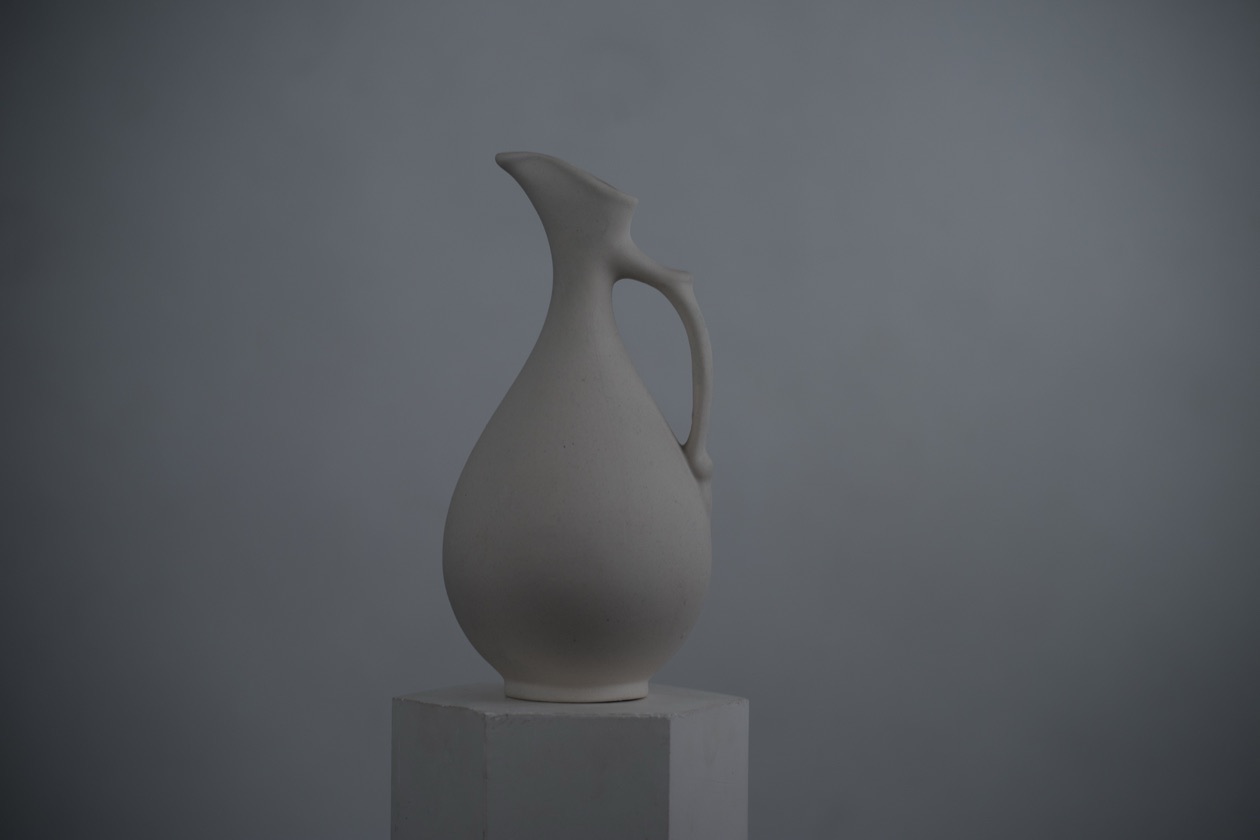
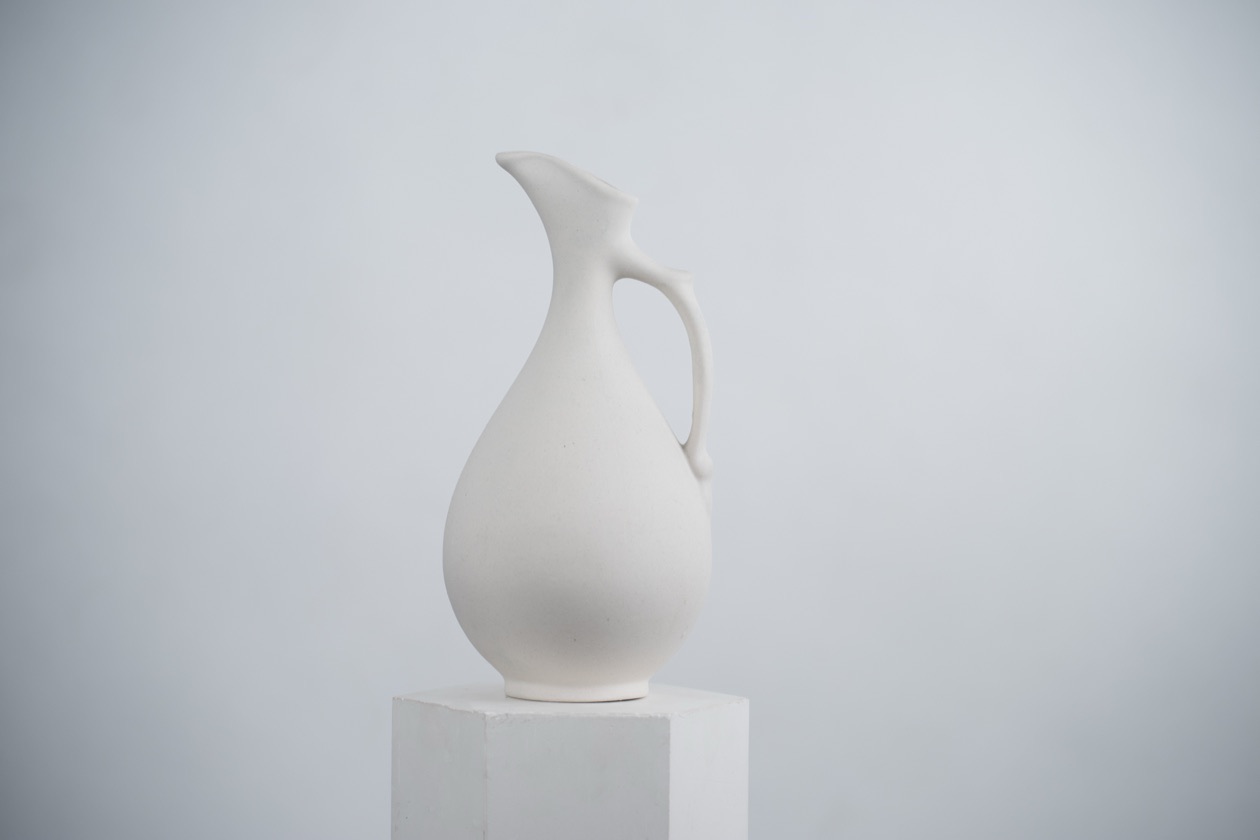
Incident-light metering. For a perfectly accurate measurement, it is enough to measure the light falling on the subject in the first place. This method has one big advantage and a lot of drawbacks. The advantage: it is very accurate, because it does not depend on how reflective the subject is. The drawbacks: you have to be right next to the subject to measure the light falling on it, and you need a separate device, a handheld light meter, placed next to the subject. A handheld meter that can also measure the burst of light from a flash is called a flash meter. In practice this only works for staged portraits and still life; in reportage, landscape and travel photography, subjects will not wait while you bring a meter to them, and they may be out of reach. Today handheld meters are used mostly by professionals and dedicated enthusiasts shooting film, where accuracy matters because you cannot take a test shot.
For anyone shooting digital, it pays more to learn the camera's built-in reflected-light meter. Set up properly, it gives accurate results, and you can also take test frames and reach the right exposure by trial and error. The camera's metering modes (matrix, center-weighted, spot) are covered in metering modes and the histogram.
Exposure compensation
Modern cameras measure the light in the scene themselves and set the shooting parameters accordingly. In the P, A, S and M modes you can adjust exposure settings. In all of these modes except M (manual), you will see the principle "if one goes down, another goes up" at work. Say we close down the aperture in mode A. To get a frame of the right brightness, the automation compensates for the smaller opening by lengthening the shutter speed. That is why, to change the brightness of pictures in every mode except M (and in M too, if you shoot with automatic ISO), there is exposure compensation. How to set it on your particular camera is in its manual. As a rule, it is done with a button marked "+/-": hold the button and turn the command dial.
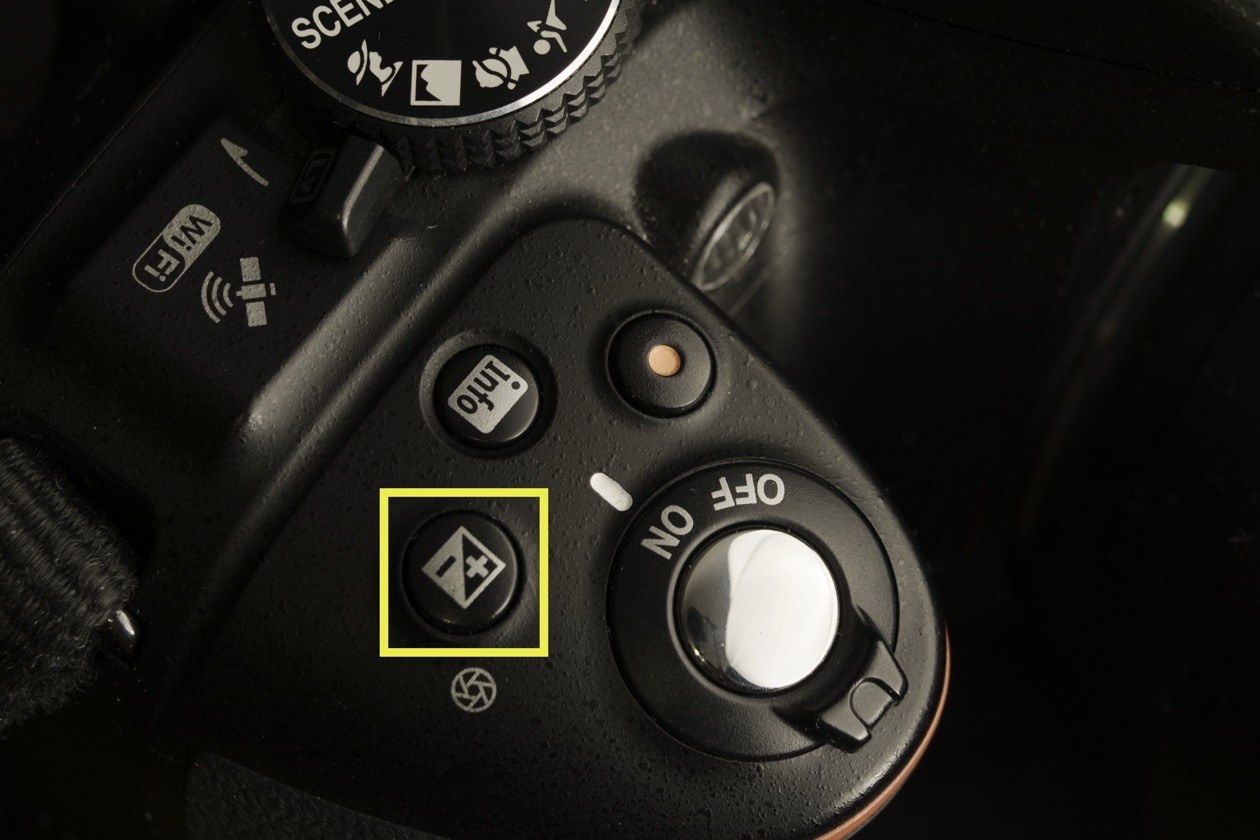
On the camera screen, compensation is shown in two places: as a scale, like a volume scale on a television, and as a number. Move the indicator toward minus and the frame comes out darker; move it toward plus and you set positive exposure compensation.
Exposure compensation is the simplest way to set the brightness of a picture. By choosing the aperture or shutter speed you need, you can render the subject better: show motion, blur the background and so on.
Usually the camera sets exposure quite accurately and pictures come out at the right brightness. When measuring the light in a scene, the automation assumes that midtone (gray) tones dominate. That is not always the case. Sometimes we photograph a subject against a very light or very dark background, and the frame is dominated not by midtones but by very light or very dark tones. In the first case the subject may come out dark, in the second too light. In such situations, apply exposure compensation to correct the brightness of the photo.
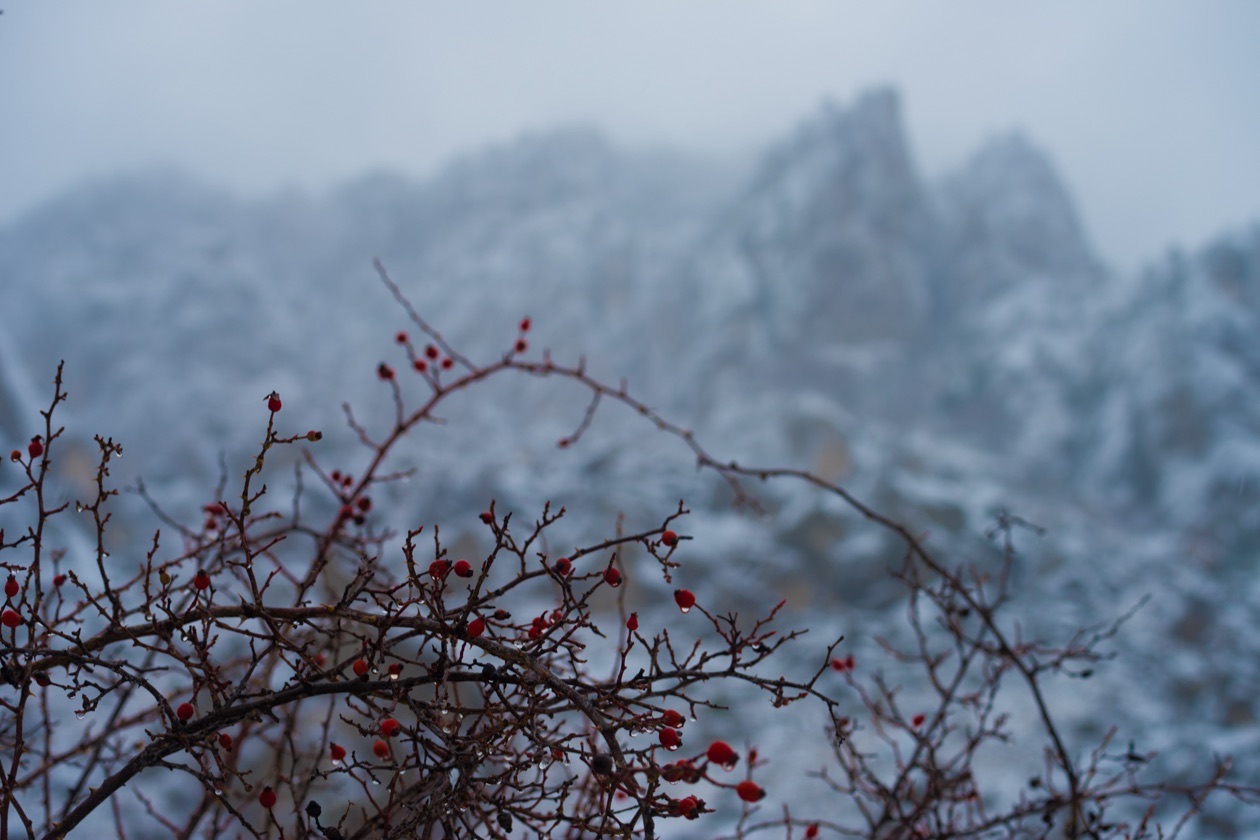
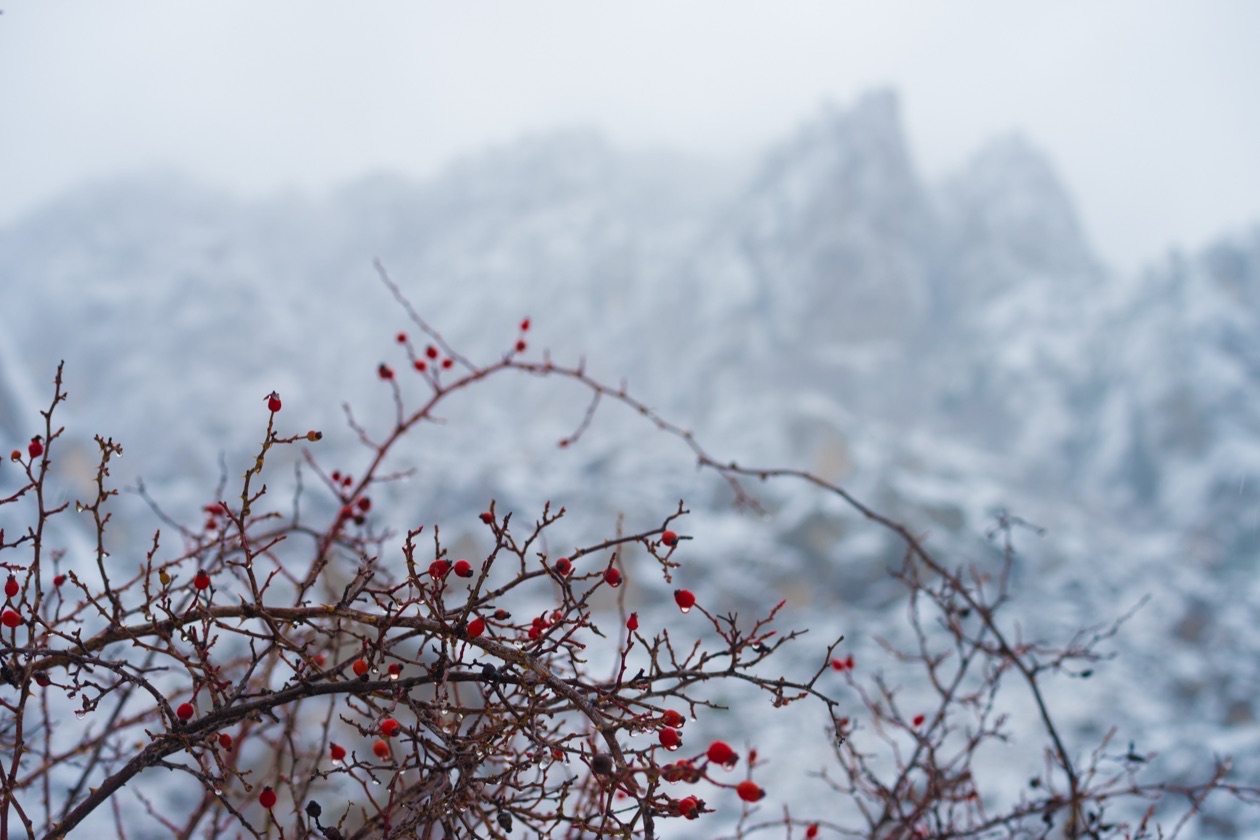
Which mode suits which subject is covered in aperture priority, shutter priority and manual mode.
How do you always get the right brightness?
Despite all the subtleties of measuring exposure, getting well-exposed frames is easier than it seems. In fact, most exposure mistakes come from inattention. A typical situation: the photographer took a quick shot, did not check the settings and did not look at the result. That photographer will most likely end up with a memory card full of poorly exposed frames, because the shoot was never finished, never brought to at least a satisfactory result. To get the fewest bad frames, take your photography more seriously: always take test frames, check their brightness and quality, and learn to read the histogram.
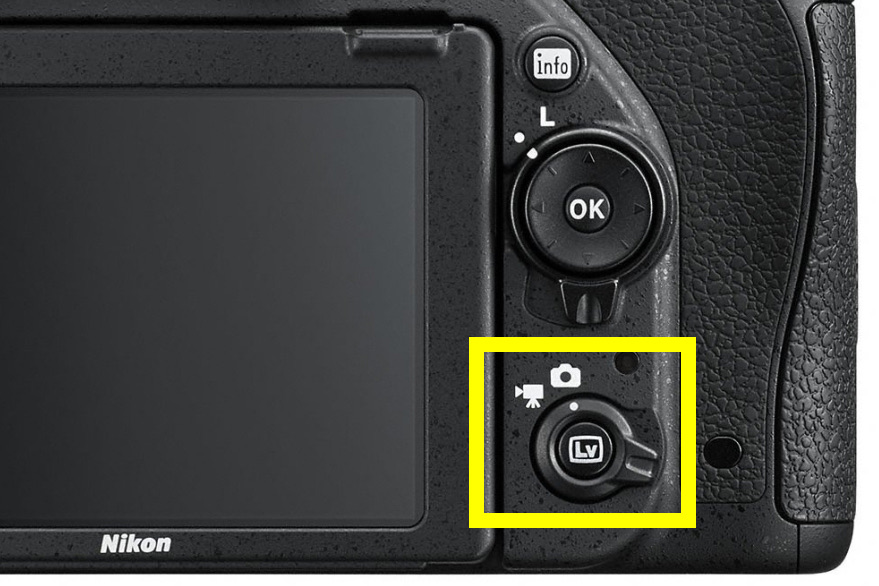
Modern cameras have a Live View mode with an exposure preview: you look at the camera screen, see the scene at the brightness the camera will record, and adjust it in real time. It is very convenient. Lately I use this mode now and then when shooting in difficult light, because it lets me set the exposure much faster and more accurately. Mirrorless cameras show the same preview in the electronic viewfinder.
Rule of thumb: Pick the setting that matters for the subject first (shutter speed for motion, aperture for depth of field), let the third setting fill in the light, and raise ISO only when the first two leave no other way.
How to set exposure, step by step
Editor's note: this checklist condenses the advice above into an order of work.
- Decide what matters in the picture: frozen or blurred motion, or how much is sharp from front to back.
- Set that parameter first: the shutter speed for motion, the aperture for depth of field.
- Fill in the light with the other parameters. In bright light, ISO stays at its minimum; in poor light, open the aperture or raise ISO until the shutter speed is short enough.
- Take a test frame and check its brightness and its histogram.
- Correct the brightness with exposure compensation when the scene is mostly light (plus) or mostly dark (minus).
Verdict
The exposure triangle is not three separate problems but one trade: each stop you gain on one setting you can spend on another. Beginners get the most out of it by treating ISO as the last resort, shutter speed as the guard against blur, and aperture as the control for the background. Exposure compensation then fixes the cases the meter gets wrong, mostly very light and very dark scenes.
Frequently asked questions
- What is the exposure triangle?
- The exposure triangle is the three camera settings that together decide how bright a photo comes out: shutter speed, aperture and ISO. Each one also has a side effect. Shutter speed controls motion blur, aperture controls depth of field and background blur, and ISO controls the level of digital noise, so you choose the combination that suits the subject.
- What is exposure in photography?
- Exposure is the amount of light that reaches the camera sensor while a frame is taken. Too little light gives a dark, underexposed frame and too much gives a washed-out, overexposed one. The camera measures the light reflected from the scene and turns that reading into a combination of shutter speed, aperture and ISO.
- Aperture vs shutter speed, which one should you change?
- Change the one whose side effect matters for the subject. If motion matters, as with sport, children or pets, set the shutter speed first. If background blur or depth of field matters, as with portraits and landscapes, set the aperture first. Both let in the same amount of extra light per stop, so the brightness result is identical.
- Shutter speed vs ISO, which should you raise in low light?
- Keep the shutter speed short enough for the subject and raise ISO only as far as that requires. A shutter speed that is too long blurs the frame and cannot be fixed later, while higher ISO only adds noise. ISO is never raised in advance: around ISO 400 to 800, depending on the camera, quality is still very high.
- What is a stop of exposure?
- A stop is a doubling or halving of the light. One stop brighter means twice the light, whether you get it from a shutter speed twice as long, an aperture one full f-stop wider, such as f/8 to f/5.6, or an ISO twice as high. Exposure value (EV) counts the same steps, so +1 EV of compensation is one stop brighter.
- When should you use exposure compensation?
- Use it when the scene is mostly very light or very dark. The meter assumes midtones, so snow, a white wall or a white object on a white background come out gray and too dark, and need plus compensation, while a dark subject on a black background comes out too bright and needs minus compensation. It works in P, A and S, and in M with Auto ISO.
Sources
- Exposure (photography), Wikipedia (2026)
- Exposure value, Wikipedia (2026)
- F-number, Wikipedia (2026)
- Film speed, Wikipedia (2026)
- Light meter, Wikipedia (2026)